Why Live Streaming to Your Community Changes Everything 🌟
 David Zenler
Picture this: You're building a thriving online community. Your members are engaged, your content is fire, and everything is humming along nicely.
But there's one problem—you can't easily connect with everyone in real-time without herding them to another platform.
"Join my Zoom!" "Check your email for the GoToWebinar link!" "Did you get the Demio invitation?"
It's exhausting. And worse? You're losing people in the transition.
Enter: Native Live Streaming
Zenler just dropped a feature that makes going live as easy as posting a status update. Here's what makes it absolutely brilliant:
How Ridiculously Easy It Is to Go Live 🚀
Let's be honest—most webinar software makes you feel like you're launching a rocket to Mars. Not here.
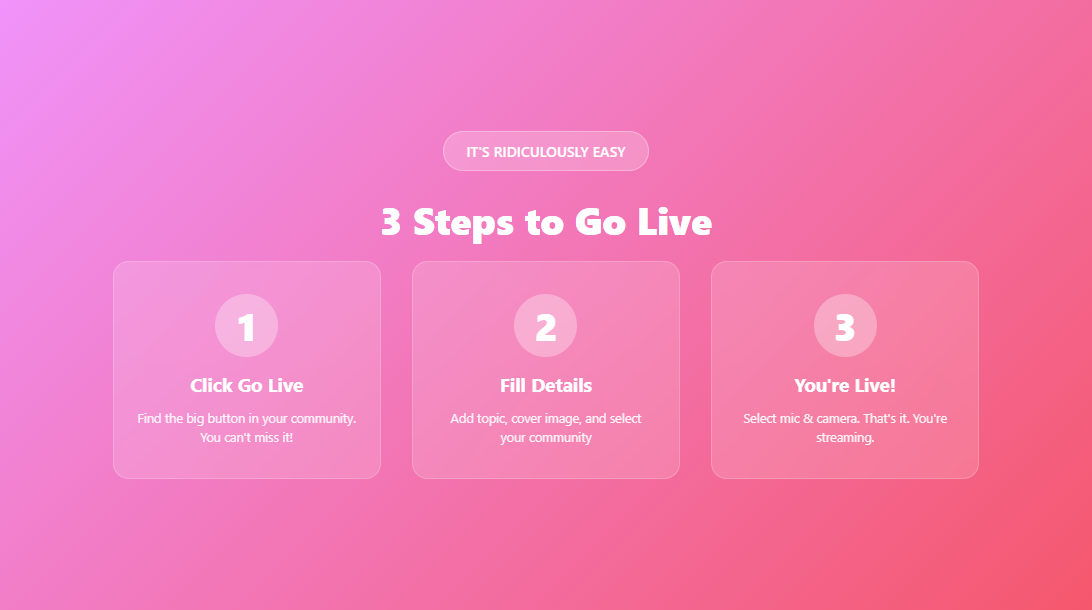
The 3-Step Process (Yes, Really Just 3 Steps):
1. Hit the "Go Live" Button That's it. That's step one. You'll see this big, beautiful button in your community. Click it. You're basically halfway done already.
2. Fill in the Details
- Topic: What are you going live about?
- Cover Card: Upload a gorgeous 720x400 image (9:5 ratio—perfect for Canva!)
- Zoom Provider: Use your personal Zoom or Zenler's built-in Zoom (included, obviously)
- Duration: How long are you going live? 15 minutes? An hour? You decide.
- Community: Which community are you streaming to? Public? Private? Secret? Course discussion? Pick your poison.
3. Click "Go Live" Again Select your microphone, turn on your camera, and boom—you're live. Your community can see you. They can join you. They can chat with you.
That's it. No complicated setup. No tech support needed. No sacrificing a chicken to the technology gods.
The Secret Weapon: Public Live Streams for Lead Generation 🎯
Here's where things get really interesting.
Most community platforms lock everything behind a login. Makes sense for private content, right? But what if you want to attract new people?
Public Communities = Marketing Gold
With Zenler, you can live stream to public communities. That means:
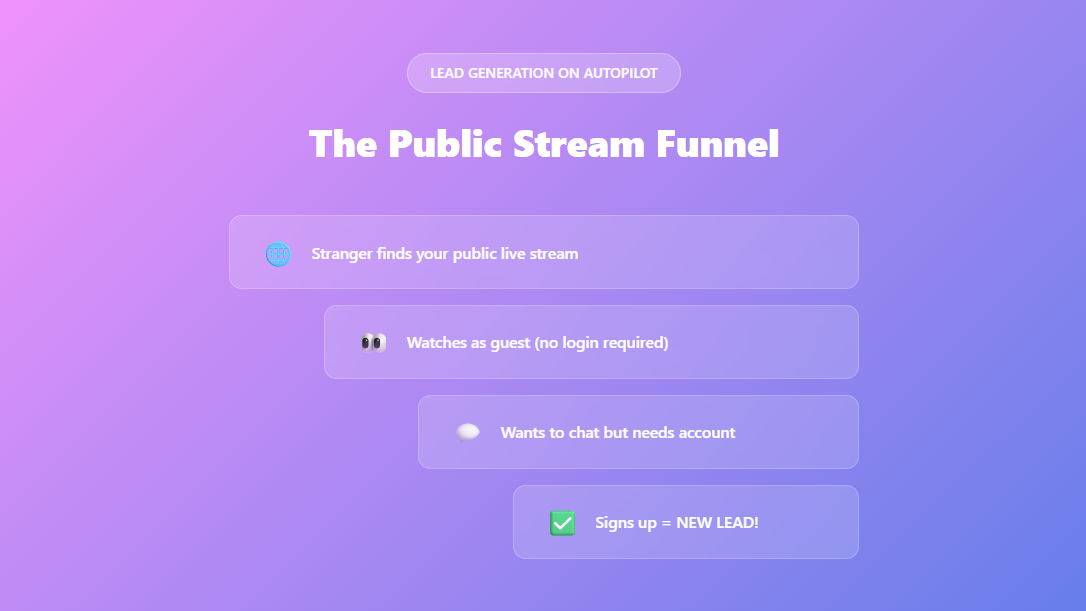
✅ Guests can watch without logging in (perfect for attracting cold traffic)
✅ Your content gets indexed by search engines (hello, free organic traffic!)
✅ Viewers can watch as guests, then sign up to chat and engage
✅ You're essentially running a free lead magnet every time you go live
Think about it: Someone stumbles on your public live stream. They're watching for free, getting value, and then they realize they can't chat or fully participate unless they create an account.
Bam. New lead. New potential customer. All from one live stream.
Watch the Feature Video here 🎯
Features That'll Make You Say WOW! 🎬
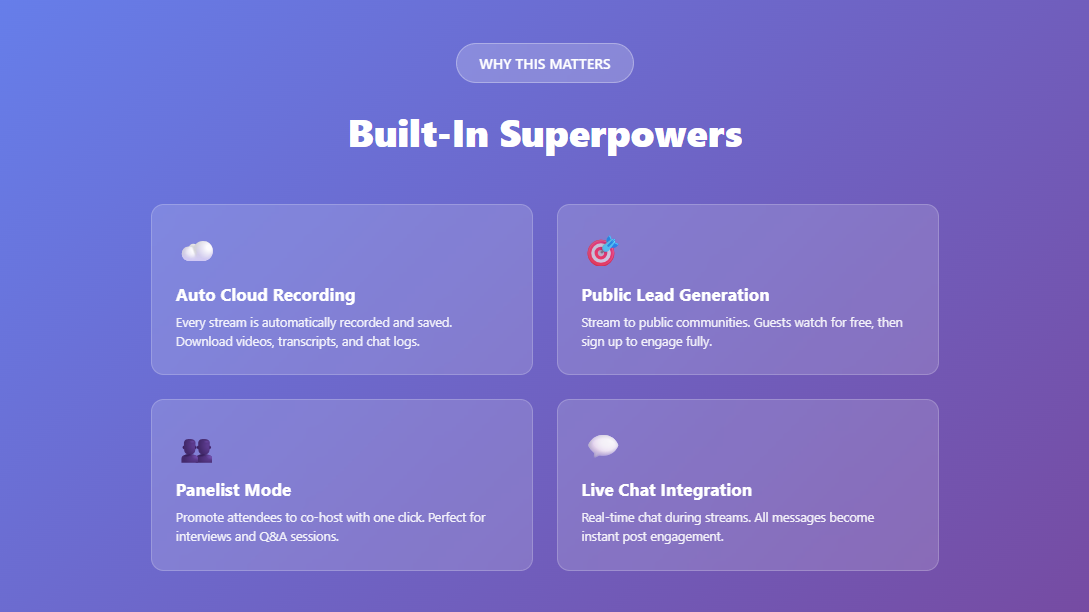
Automatic Cloud Recording
Every single live stream is automatically recorded to the cloud. No pressing record. No forgetting to save the file. It just... happens.
After your stream ends, you can download:
- 📹 The full video file
- 📝 Complete transcripts
- 💬 All chat messages
- 📊 Engagement data
Panelist Mode (AKA Co-Host Magic)
Want to bring someone on stage? Promote them to panelist with one click. They can:
- Turn on their microphone
- Enable their camera
- Screen share
- Co-present with you
Then, when they're done, demote them back to attendee. Easy peasy.
Pro tip: This is perfect for hot-seat coaching, expert interviews, or Q&A sessions where you bring members on stage one at a time.
Screen Sharing That Actually Works
Click. Share. Done.
Share your entire screen, a specific window, or just a Chrome tab. Your attendees see exactly what you see. Great for:
- Walkthroughs and tutorials
- Reviewing student work
- Live design or coding sessions
- Product demos
Live Chat Integration
All chat messages during your live stream appear in real-time on the right side of the screen. After the stream ends, they show up under the post in your community.
This is genius because it creates instant engagement on your content. Your post already has comments before you even finish the stream!
Real-World Use Cases (Because Examples Are Everything) 💡
For Course Creators:
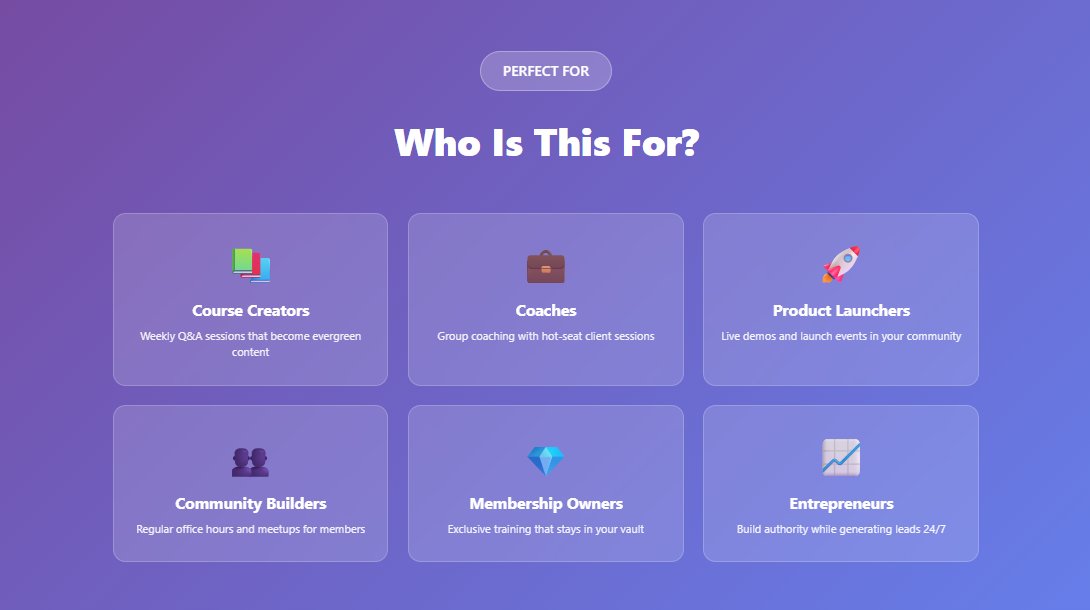
Go live in your course discussion community for weekly Q&A sessions. Students can ask questions in real-time, you can screen share to demonstrate concepts, and the recording becomes evergreen content for future students.
For Coaches:
Host group coaching sessions where you can bring clients on stage as panelists, work through their challenges live, and let other community members learn by watching.
For Community Builders:
Run regular "office hours" or community meetups. Stream to your public community to attract new members, then convert them to paid memberships by offering exclusive private streams.
For Product Launchers:
Go live in your public community to demo your product, answer questions, and create urgency. Guests can watch for free, but to ask questions or get special offers, they need to join your community.
For Membership Site Owners:
Host exclusive member-only training sessions in your private communities. The recording stays in the community for members to reference later, and you didn't have to deal with any extra platforms.
The Privacy & Control Features You Actually Need 🔒
Community Types Matter:
- Public Communities: Anyone can watch (perfect for lead generation)
- Private Communities: Only members can view (great for paid content)
- Secret Communities: Hidden from non-members (for VIP groups)
- Course Discussion Communities: Specific to course students
Host Controls:
- Lock the meeting to prevent new joiners
- Remove disruptive attendees
- Control who can unmute themselves
- Spotlight specific speakers
- Enable/disable closed captions
Anonymous Viewing:
Guests can watch public streams without creating an account. This is huge for people who want to check you out before committing, and it solves the "I want to remain anonymous" problem that many community platforms struggle with.
After the Stream: Where the Real Magic Happens ✨
Your stream ends, but the value doesn't stop:
For Admins (That's You):
- Download full video files for editing or repurposing
- Grab transcripts to turn into blog posts or social media content
- Export chat logs for testimonials or FAQs
- Review engagement metrics
For Members:
- Watch the replay anytime from the community post
- See all the chat messages from the live stream
- Turn on closed captions if they prefer
- Adjust playback speed
For SEO (Yes, Really):
Since public community content is indexed by search engines, your live stream recordings can:
- Rank for relevant keywords
- Drive organic traffic to your platform
- Build authority in your niche
- Attract new leads while you sleep
Why This Beats Every Other Webinar Platform 🥊
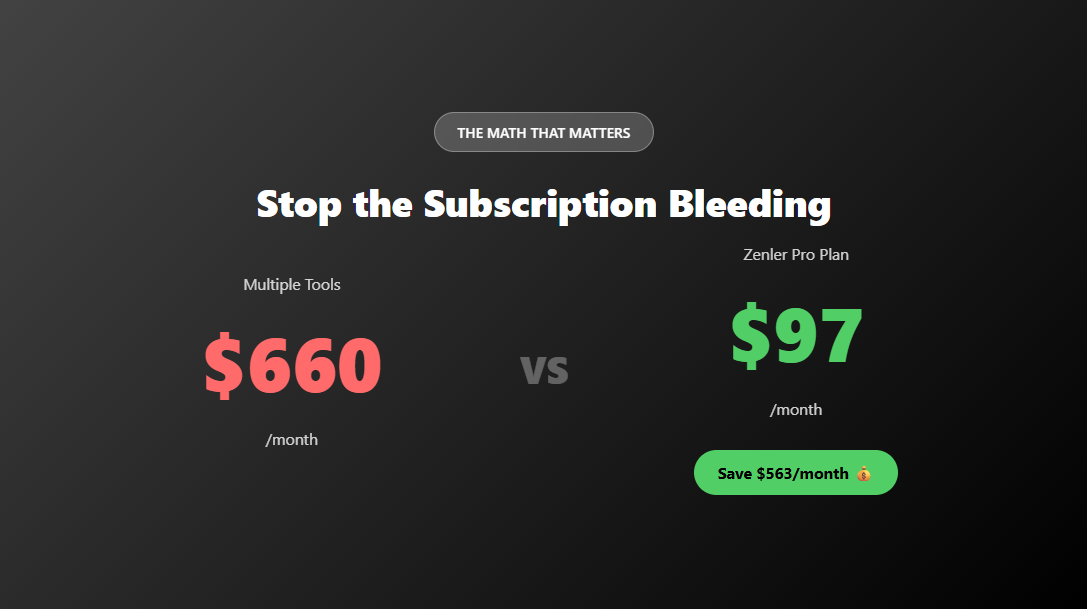
Zoom Webinars: $79/month
Great tool, but your attendees have to leave your platform, download an app, and join a meeting. Plus, hosting recordings requires another solution.
GoToWebinar: $89/month
Solid for corporate webinars, but zero community integration. The recording lives in some random library nobody visits.
Demio: $59+/month
Built for webinars, but not for community. No ongoing engagement after the webinar ends.
StreamYard: $25+/month
Perfect for streaming to social media, but you're building an audience on platforms you don't own.
Zenler: Included in your $97/month plan
Live streaming + community + course platform + email marketing + funnels + memberships + gamification = Everything in one place.
The winner? Not even close.
How to Promote Your Live Streams (And Actually Get People to Show Up) 📣
Look, going live is easy. Getting people to attend? That's the real challenge.
Before the Stream:
- Announce it in advance: "Going live next Tuesday at 2 PM PT!" Give people time to mark calendars.
- Post in your community: Create anticipation with countdown posts.
- Email your list: Send reminders 24 hours and 1 hour before.
- Share on social media: Post the public community link so non-members can tune in.
- Create urgency: "I'll be answering your questions live—bring them!"
During the Stream:
- Welcome people by name: "Hey Sarah, great to see you here!"
- Encourage chat participation: Ask questions, run polls, read comments aloud.
- Deliver massive value: This isn't a sales pitch; it's a value bomb.
- Mention the recording: "Don't worry if you have to leave—this will be recorded!"
After the Stream:
- Share highlights: Create short clips for social media.
- Repurpose the transcript: Turn it into a blog post, LinkedIn article, or email series.
- Tag participants: Thank people who joined and engaged.
- Promote the replay: "Missed yesterday's live? Watch the replay here!"
Common Questions (Because I Know You're Wondering) 🤔
"Can I really only have one panelist at a time?"
Yep! This is designed as a true webinar experience. One host, one panelist/co-host at a time. It keeps things focused and professional. Plus, it prevents the chaos of too many people talking over each other.
"What if I don't want to use Zenler's Zoom integration?"
No problem! You can use your own personal Zoom account. Just connect it in the settings.
"Can guests chat during public live streams?"
Nope! Guests can watch, but to chat and fully engage, they need to create an account. (See? Lead generation! 🎣)
"How long are the recordings stored?"
Forever! They live in your community as posts. You can also download them anytime for backup or repurposing.
"What's the video quality like?"
Full HD, baby. Your streams look professional and crisp.
"Can I do this on mobile?"
The feature works best on desktop for hosting, but attendees can join and watch from any device.
The Bottom Line: One Platform to Rule Them All 👑
Here's the thing—tech fatigue is real.
You didn't start your online business to become a software juggler. You started it to help people, share your expertise, and (let's be honest) make some money while doing work you love.
Every additional tool you add is:
- Another monthly payment
- Another login to remember
- Another system to learn
- Another potential point of failure
- Another place where your audience might get lost
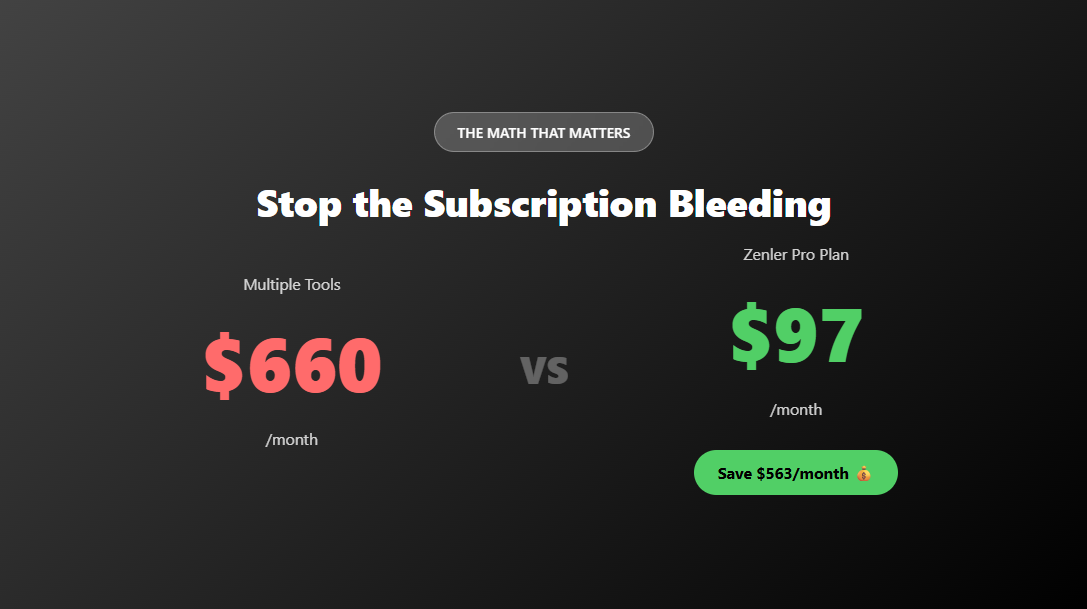
Zenler's live streaming feature isn't just about saving $563/month (though that's pretty sweet). It's about simplicity. It's about having everything in one place so you can focus on what matters: your community, your content, and your business.
What You Get with Zenler:
✅ Course hosting platform
✅ Community with live streaming
✅ Email marketing
✅ Funnel builder
✅ Membership sites
✅ Gamification
✅ Coaching tools
✅ All for $97/month (Pro Plan)
Plus, you get a 30-day free trial and access to a jumpstart program that helps you get your business up and running fast.
Ready to Simplify Your Business? 🚀
Stop paying for a dozen different tools. Stop losing leads in transition. Stop making your community jump through hoops to connect with you.
Start your 30-day free trial today and discover what it's like to run your entire online business from one powerful platform.
Go live to your community. Build your audience. Grow your business. And keep more money in your pocket.
Because honestly? Your business deserves better than subscription chaos.
P.S. The live streaming feature is live now (pun intended). No waiting. No beta testing. It's ready for you to use today. Go make some magic happen. ✨
About Zenler:
Zenler is the all-in-one platform that replaces your entire tech stack. Course creation, community building, email marketing, live streaming, funnels, memberships—everything you need to run a successful online business, all in one place. No more juggling tools. No more subscription fatigue. Just one platform that does it all.
Categories: : Zenler Feature Releases
Copyright © 2026 Zenler. All rights reserved.
Terms | Privacy Policy | Cookie Policy | Support
