How to Use a Zenler Trial to Validate Your Course Business
 David Zenler
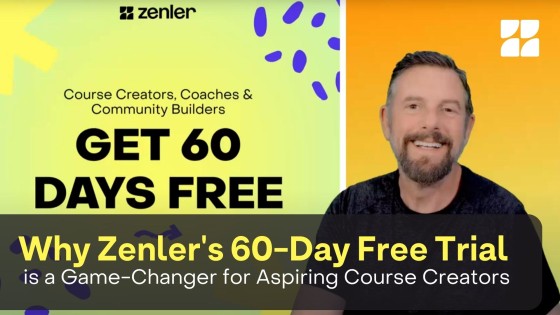
Use the current Zenler trial to test your course, sales page, checkout, email follow-up, community and launch workflow.
Quick answer: Zenler currently presents a 30-day trial on its public pricing page. Use that trial period to validate your course idea, build your first learning experience, test your sales workflow, and decide whether Zenler is the right all-in-one platform for your course business. Always confirm the live trial and plan details on the official New Zenler pricing page before registering.

Why a Zenler Trial Is Useful for Course Creators
A platform trial should not be treated like a casual browse through software. For a course creator, the real question is whether the platform can support the business you want to build: the course content, the website, the offer, the checkout, the email follow-up, the learner experience, and the community around it.
Zenler is built to bring those moving parts together. During your trial window, you can evaluate whether having courses, funnels, email, live sessions, communities, blogs, payments, automations, and AI features in one place reduces complexity compared with stitching together several separate tools.
What to Check First
Start with the essentials that affect your launch. Do not try to test every feature on day one. Create a simple validation checklist and work through it in order.
- Course structure: create a test course, add modules, upload a lesson, and preview the student experience.
- Offer page: build a simple sales page with the core promise, outcomes, pricing, and call to action.
- Checkout: review payment options, coupons, order bumps, and how the buyer journey feels.
- Email follow-up: set up a short welcome or nurture sequence so leads and buyers are not left without guidance.
- Community or membership: decide whether your offer needs ongoing discussion, coaching, accountability, or member-only resources.
- Live delivery: check whether live classes, webinars, streams, or coaching sessions are part of your delivery model.
A Practical 30-Day Zenler Trial Plan
Days 1-3: Map the Offer
Write down who the course is for, the transformation it promises, the first version of the curriculum, and the simplest paid offer you could sell. Then create the skeleton inside Zenler so you can see how the platform supports your idea.
Days 4-10: Build the Course Experience
Add your first lessons, resources, downloads, quizzes, or assignments. Use this stage to test whether the course builder feels natural and whether students can move through the material without confusion.
Days 11-17: Build the Marketing Path
Create a lead magnet, a landing page, or a workshop funnel. If you need a deeper funnel example, see Workshop Funnel for Online Courses. The goal is to confirm that a visitor can become a lead, receive useful follow-up, and understand your offer.
Days 18-24: Test Engagement
Set up a community space, a live session, or a member update. Course businesses are not only about uploading lessons; they also depend on support, motivation, feedback, and a sense of progress. If membership is part of your model, cross-check your plan with Create a Membership Site with Zenler.
Days 25-30: Decide With Evidence
By the end of the trial, you should know whether Zenler can handle your real workflow. Compare what you built against the current Starter, Pro, and Premium plans, then choose based on scale, email volume, site count, live-session needs, custom domains, AI access, and support requirements.
What Makes Zenler Different from a Single-Purpose Course Tool
Many platforms handle one job well but require extra tools for the rest of the business. Zenler is different because it combines course creation, site building, email marketing, funnels, community, live delivery, blogging, automations, payments, analytics, and AI features under one platform. That matters when your business grows and every extra tool adds cost, setup time, and integration risk.
For a broader platform overview, read Zenler Features: The Complete Creator's Toolbox in One Platform and How to Use Zenler in 2026.
How to Avoid Wasting the Trial
The most common mistake is opening an account, clicking around without a plan, and then judging the platform before building anything meaningful. Treat the trial like a short implementation sprint. Pick one course idea, one offer, one audience, and one route to sale. That gives you a fair test.
- Use your real course topic, not dummy content.
- Build one complete learner path instead of many unfinished pages.
- Test the checkout and email experience from the student perspective.
- Review current plan limits on the official pricing page before deciding.
- Contact Zenler support if you need help with account-specific setup questions.
Who Should Try Zenler
Zenler is a strong fit for course creators, coaches, consultants, educators, membership owners, and experts who want one connected system for content, marketing, sales, and student engagement. It is especially useful when you want to move beyond a simple video library and build a real education business with funnels, email, community, live support, and repeatable systems.
FAQ
How long is the current Zenler trial?
Zenler's public pricing page currently presents a 30-day trial. Because trial terms and promotions can change, always check the official New Zenler pricing page before registering.
What should I build during the trial?
Build one focused course path, one offer page, one checkout flow, and one follow-up sequence. That gives you a practical view of whether Zenler fits your business workflow.
Can I test marketing and community features too?
Yes. Use the trial to explore funnels, email broadcasts or automations, communities, blogs, and live sessions if those features are part of your course or membership model.
Where should I check current plan details?
Use the official New Zenler pricing page as the source of truth for current trial access, plan inclusions, and pricing.
Categories: : Zenler Product Updates
Copyright © 2026 Zenler. All rights reserved.
Terms | Privacy Policy | Cookie Policy | Support
