Ashley Leeds on AI LinkedIn Content
 David Zenler
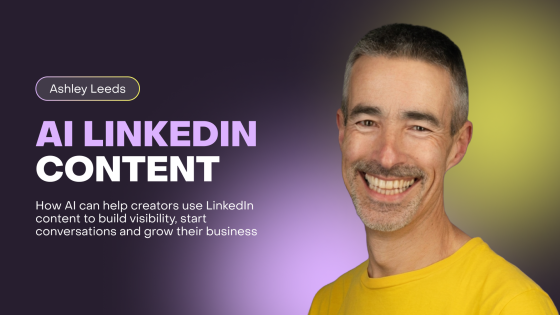
Ashley Leeds shows how AI can help creators use LinkedIn content to build visibility, start conversations and grow their business.
LinkedIn can be powerful for course creators, coaches, consultants and digital business owners.
But it can also feel like a lot.
You know you should probably show up more.
You know your audience may be there.
You know visibility matters.
But then comes the hard part.
What do you post?
How often?
What should you say without sounding like everyone else?
How do you turn your expertise into content people actually want to read?
And how do you do all of that while still running the rest of your business?
That is why Ashley Leeds’ session, How AI Is Helping My Business, is such a useful spotlight inside the Future of AI for Course Creators Summit 2026.
Ashley brings a practical LinkedIn and content workflow angle to the AI conversation.
Not just “use AI to write posts”.
Think again if that is the whole strategy.
The real opportunity is using AI to clarify your message, create more consistent content, support your visibility and make it easier to start conversations with the right people.
Quick answer: Ashley Leeds on AI LinkedIn Content for Creators explains how to ashley Leeds shows how AI can help creators use LinkedIn content to build visibility, start conversations and grow their business.
Why LinkedIn Matters for Course Creators
LinkedIn is not just for job seekers.
For many creators, coaches and digital business owners, it can be a strong platform for authority, trust and relationship-building.
People go there to learn, connect, share ideas, discover experts and solve business problems.
That makes it a useful place for creators who sell knowledge, training, coaching, memberships or online courses.
But LinkedIn works best when your content feels useful, human and connected to a clear point of view.
Posting random tips is not enough.
Posting generic motivational lines is not enough.
Posting AI-generated content that sounds like everyone else is definitely not enough.
The creators who do well on LinkedIn usually have something clear to say.
They understand their audience.
They show up consistently.
They share useful ideas.
They start real conversations.
AI can help with that, but only when you use it properly.
How AI Can Help with LinkedIn Content
One of the biggest problems with LinkedIn content is not writing.
It is deciding.
What topic should you talk about today?
Should the post be educational, personal, opinion-led, story-based or practical?
Should it connect to your course offer?
Should it answer a question your audience keeps asking?
Should it challenge a belief?
Should it start a conversation?
AI can help you think through those options.
It can help turn your expertise into content angles.
It can help you repurpose ideas from calls, webinars, blogs, workshops, emails and course lessons.
It can help you create a content plan that supports your business rather than just filling space on the feed.
For example, if you teach online course creation, AI could help you create LinkedIn content around course validation, lesson structure, common launch mistakes, student results, marketing confidence and offer clarity.
If you run a leadership coaching programme, AI could help you create content around communication, confidence, decision-making, team culture and personal growth.
If you run a membership for consultants, AI could help you create posts around pricing, positioning, client delivery, systems and sustainable growth.
This is where AI becomes useful.
It helps you turn what you know into content people can understand and respond to.
AI Should Not Replace Your LinkedIn Voice
Here is the risk.
AI can write LinkedIn posts very quickly.
But fast is not always good.
A lot of AI LinkedIn content sounds the same.
Short lines.
Big claims.
Over-polished lessons.
A dramatic hook.
A neat little ending.
You have seen these posts.
Everyone has.
And after a while, they all blur together.
For creators, that is a problem.
Your LinkedIn content should not make you sound like a template.
It should help people understand how you think.
That means AI should support your voice, not replace it.
Ashley’s session is useful because it reminds creators that AI works best when it helps you express your own ideas more clearly.
You can use AI to organise your thoughts, sharpen your opening line, simplify a message or turn a rough idea into a readable post.
But you still need to add your point of view.
Your examples.
Your stories.
Your judgement.
Your personality.
This connects naturally with Allie’s article on building an AI content manager for creators, because better AI content starts with better instructions, clearer voice guidance and a stronger content system.
Building a LinkedIn Content Workflow with AI
A good LinkedIn workflow does not need to be complicated.
It just needs to be repeatable.
Many creators struggle because they treat every post like a fresh creative challenge.
They open a blank document.
They try to think of something clever.
They get stuck.
Then they do not post.
AI can help you build a simple workflow so content creation becomes easier.
For example, you could create a weekly process.
Start by listing three questions your audience asked recently.
Add one story from your business.
Add one lesson from a client or student.
Add one belief you want to challenge.
Add one offer-related topic.
Then ask AI to help turn those into LinkedIn content ideas.
Not finished posts.
Ideas.
From there, choose the strongest ones, draft them, edit them and make them sound like you.
This is simple to do.
And it is much better than asking AI to “write me five LinkedIn posts”.
The workflow matters.
AI can help you move faster, but your thinking should lead the process.
LinkedIn Content Should Lead Somewhere
One mistake creators make is posting for visibility without direction.
Visibility is useful.
But visibility without strategy can become tiring.
Your LinkedIn content should help people move closer to understanding your work.
That does not mean every post needs to sell.
Please don’t do that.
But your content should connect to the problems you solve and the outcomes your audience wants.
If you sell an online course, your LinkedIn content should help people understand the problem your course solves.
If you run a membership, your posts should build trust around your expertise and community value.
If you offer coaching, your content should show how you think and how you help people get results.
AI can help you keep content connected to your business goals.
You can ask it to map posts across different types of content:
awareness posts
problem posts
teaching posts
story posts
objection-handling posts
authority posts
conversation-starting posts
offer-related posts
This gives your LinkedIn content more purpose.
Not every post needs to be a sales post.
But every post should have a reason.
AI for Repurposing Content into LinkedIn Posts
Most creators already have enough raw material for LinkedIn.
They just do not always see it.
Your best content might be hiding in:
webinar recordings
course lessons
student questions
coaching calls
blog posts
email replies
podcast interviews
community discussions
sales calls
personal business lessons
AI can help turn those into LinkedIn ideas.
For example, you could take a section from a blog post and ask AI to turn it into three LinkedIn angles: one educational, one story-led and one opinion-based.
You could take a student question and turn it into a helpful post.
You could take a webinar transcript and pull out five short lessons.
You could take a sales call objection and create a post that explains the misunderstanding behind it.
This is where AI saves time without making the content feel empty.
The raw material still comes from real business experience.
AI helps shape it.
That is a much better use of AI than asking it to invent generic posts from nothing.
AI and Personal Brand Visibility
LinkedIn content is not only about content.
It is also about personal brand.
For course creators, this matters because people are not just buying information.
They are buying trust.
They want to know how you think.
They want to know whether you understand their problem.
They want to know whether your approach feels right for them.
AI can help you show up more consistently, but your personal brand still needs a human centre.
That means sharing your opinions.
Telling simple stories.
Explaining lessons from experience.
Showing what you believe.
Being clear about who you help.
Creating content that sounds like a real person, not a marketing department.
This connects well with Billy Wigley’s article on AI business growth, because AI becomes more valuable when it supports real business visibility, systems and growth rather than just creating more content for the sake of it.
AI Can Help Start Better Conversations
LinkedIn works best when content starts conversations.
Not just likes.
Conversations.
A good post can lead to comments, direct messages, partnerships, podcast invites, client enquiries, course interest and stronger relationships.
AI can help you create posts that invite response.
For example, it can help you end posts with thoughtful questions.
It can help you turn a lesson into a discussion.
It can help you identify topics your audience may have strong opinions about.
It can help you write in a way that feels more open and less polished.
This matters because overly perfect content can feel distant.
Sometimes a simple, honest post creates more connection than a polished essay.
Remember, people do business with people.
AI can help you show up, but you still need to be present.
Reply to comments.
Ask follow-up questions.
Start conversations.
Notice what people respond to.
That is where the real value often happens.
AI for LinkedIn and SEO Can Work Together
LinkedIn content can also support your wider content strategy.
This is where creators can be smarter.
A strong LinkedIn post can become a blog section.
A blog post can become several LinkedIn posts.
A LinkedIn conversation can reveal a search question.
A repeated comment can become an FAQ.
A post that performs well can become a webinar topic.
AI can help connect these pieces.
This links closely with Neil Patel’s article on AI SEO for course creators, because visibility should not depend on one channel only.
LinkedIn can help you build relationships and authority.
SEO can help people discover you through search.
Email can help you nurture trust.
Your course or membership can help people take the next step.
AI can support the whole system when your content strategy is connected.
That is much stronger than posting randomly on one platform and hoping something happens.
What Creators Should Avoid with AI LinkedIn Content
AI can help, but there are mistakes to avoid.
Do not let AI write posts that make exaggerated claims.
Do not publish content that sounds nothing like you.
Do not copy the same structure everyone else is using.
Do not turn every post into a sales pitch.
Do not post just because AI made it easy.
More content is not always better.
Better content is better.
LinkedIn rewards relevance, clarity and conversation.
Your audience rewards honesty, usefulness and personality.
So use AI to support those things.
Ask it to make your ideas clearer, not louder.
Ask it to simplify your message, not over-polish it.
Ask it to help structure your thinking, not replace it.
That is how creators can use AI without losing trust.
Practical AI LinkedIn Workflow for Creators
Here is a simple way creators can use AI for LinkedIn content.
Start with one real business insight.
This might be a client question, a student struggle, a lesson you learned, a mistake you made or a belief you want to challenge.
Then give AI the context.
Tell it who the post is for, what the main point is, what tone you want and what you want the reader to feel or do.
Ask for three different angles.
Choose the strongest one.
Draft the post.
Edit it in your own voice.
Add a real example.
Remove anything that sounds generic.
Then post it and pay attention to the response.
This is not complicated.
But it is a much better process than outsourcing your entire voice to AI.
Why Ashley’s Session Matters for Course Creators
Ashley Leeds’ session matters because many creators know they need visibility, but they struggle to keep content creation consistent.
AI can help reduce the friction.
It can help you plan, draft, repurpose and refine content.
It can help you turn your expertise into LinkedIn posts that support your business.
But it still needs your voice.
Your judgement.
Your stories.
Your point of view.
That is the balance.
Used properly, AI can help creators show up more consistently without turning their content into generic noise.
And that can make LinkedIn feel less like a chore and more like a useful part of your business growth.
FAQs About AI LinkedIn Content for Creators
How can creators use AI for LinkedIn content?
Creators can use AI to plan LinkedIn topics, generate post angles, repurpose blogs or webinars, improve hooks, simplify messages and create a more consistent content workflow. The best results come when AI is given clear audience and brand voice guidance.
Can AI write LinkedIn posts for me?
AI can help draft LinkedIn posts, but you should still edit them. Your posts need your own examples, opinions, stories and voice. AI can create a starting point, but the final version should sound like you.
Is LinkedIn useful for course creators?
Yes. LinkedIn can be useful for course creators, coaches, consultants and digital business owners because it helps build authority, visibility and relationships with a professional audience.
What should course creators post on LinkedIn?
Course creators can post educational tips, personal stories, student insights, common mistakes, behind-the-scenes lessons, opinion-led posts, FAQs, case studies and content connected to the problems their course or membership solves.
How can AI help with LinkedIn consistency?
AI can help with consistency by creating content ideas, organising themes, repurposing existing material and building a repeatable posting workflow. This makes it easier to show up without starting from scratch every time.
Will AI make my LinkedIn content sound generic?
It can if you use vague prompts or publish without editing. To avoid generic content, give AI your tone, audience, examples and point of view. Then review the output and add your own human details.
Final Thoughts
Ashley Leeds’ session, How AI Is Helping My Business, is a useful reminder that AI can make content creation easier without taking away the human side.
For creators using LinkedIn, AI can help with ideas, structure, repurposing, clarity and consistency.
But the strongest content still needs you.
Your experience.
Your examples.
Your opinion.
Your way of explaining things.
That is what makes people stop, read and connect.
AI can help you show up more often.
But your voice is what makes the content matter.
Join the Future of AI for Course Creators Summit 2026 to learn how Ashley Leeds and other expert speakers are helping creators use AI in practical, human and business-focused ways.
Want to build, sell and grow your online courses, memberships and communities from one place?
Try Zenler Risk Free for 30 Days and unlock the Accelerator Program that guides you step by step toward success.
https://www.newzenler.com/register
Related marketing and funnel resources
Build a stronger creator marketing system with these connected Zenler resources:
- Complete course funnel guide for New Zenler
- Lead magnet ideas for course creators
- Online course SEO topic clusters
Categories: : AI for Course Creators
Copyright © 2026 Zenler. All rights reserved.
Terms | Privacy Policy | Cookie Policy | Support
