Creator Tech Stack 2026
 David Zenler
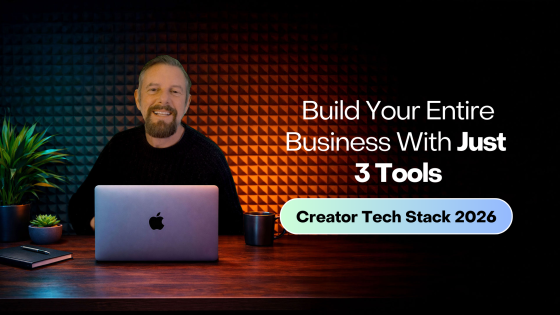
Learn how creators can choose a practical tech stack for courses, marketing, sales, email, community and content in 2026.
Creators are often overwhelmed not because running a creator business is complicated — but because the tech stack has become a monster.
Quick answer: what should be in a creator tech stack in 2026?
A creator tech stack should cover website, courses, checkout, email, funnels, community, live sessions, analytics, automations, and support. The fewer disconnected tools you need to manage, the easier it is to launch, sell, and improve your creator business.
Creators are told they need:
- A website builder
- A funnel builder
- A course platform
- A membership platform
- A community platform
- An email marketing tool
- A checkout tool
- A webinar tool
- A coaching platform
- A landing page tool
- A CRM
- A hosting provider
It's chaos.
But here's the truth: Creators do NOT need 10+ tools. Creators need ONE tool that does the job of many.
This guide breaks down the complete creator tech stack for 2026 — what you need, what you don't, and how to simplify everything with an all-in-one platform like Zenler.
🎥 ▶️ Creator Tech Stack 2026 — The Only Tools You Actually Need
⭐ Step 1 — The Big Shift in 2026: Creators Are Moving to All-in-One Platforms
From 2015–2020, creators used dozens of tools. From 2020–2023, creators used smaller stacks + integrations.
In 2024–2026, something new happened: Creators realised the tech stack was slowing them down — not helping them grow.
So creators started switching to all-in-one platforms that combine:
- Courses
- Memberships
- Communities
- Funnels
- Checkout
- Automations
- Video hosting
- Live classes
…all inside ONE system.
Zenler has been ahead of this trend for years. 2026 is the year the creator industry fully embraces consolidation.
⭐ Step 2 — The Core Elements of a Modern Creator Tech Stack
You only need six functional components to run a full creator business.
Most creators think they need 20 tools (because software companies taught them that). They don't.
Here's the REAL tech stack:
1. Content Platform (Long-Form + Short-Form) Examples:
- YouTube
- TikTok
- Blogs
- Podcasts
Purpose: Audience growth.
2. Lead Capture System Landing pages + forms. This is where you build your email list.
3. Email Marketing System To nurture, educate, and convert.
4. Funnel / Sales System Course funnels, membership funnels, challenges, webinars.
5. Product Delivery System What delivers:
- Courses
- Memberships
- Workshops
- Digital downloads
- Coaching programs
6. Community / Engagement System Where members:
- Engage
- Ask questions
- Get support
- Stay retained
Zenler does ALL six in one place.
⭐ Step 3 — The Problem With Using 10 Separate Tools
Creators using "Frankenstein tech stacks" face:
❌ Constant integration issues
❌ Zapier costs
❌ Data syncing problems
❌ Lost leads
❌ Broken automations
❌ Payment failures
❌ Conflicting analytics
❌ Multiple subscriptions
❌ HOURS of maintenance
❌ No single source of truth
❌ Slow launches
❌ High stress
The creator industry has outgrown duct-taped tools. Creators now want a streamlined, predictable system.
⭐ Step 4 — The 2026 Recommended Creator Tech Stack (Simple + Lean)
Here is a practical stack creators can use:
1. One Traffic Source (Long-Form) Pick ONE:
- YouTube
- Blog
- Podcast
Everything else builds from this.
2. One Traffic Booster (Short-Form) Pick ONE:
- TikTok
- Shorts
Distribute short content everywhere from one place.
3. One All-In-One Platform Example: Zenler (best creator all-in-one platform)
Inside Zenler you get:
✔ Courses
✔ Memberships
✔ Communities
✔ Funnels
✔ Email marketing
✔ Landing pages
✔ Webinars
✔ Coaching tools
✔ Digital product delivery
Replacing:
- Kajabi
- Teachable
- Thinkific
- Clickfunnels
- ConvertKit
- Mailchimp
- Circle
- Mighty Networks
- Gumroad
- SamCart
- Podia
- MemberPress
- ThriveCart
That's £600–£2,500/year saved.
4. One Content Creation Tool Such as:
- Canva
- CapCut
- ScreenStudio
- Descript
5. One File Storage / Cloud Backup Tool Examples:
- Google Drive
- Dropbox
- Notion
That's it. A modern creator does NOT need complexity.
⭐ Step 5 — What Your Creator Tech Stack SHOULD NOT Include
These tools are NOT required to build a successful creator business:
❌ WordPress plugins
❌ Multiple email tools
❌ Complicated automations setups
❌ Expensive funnel builders
❌ Webinar add-ons
❌ Standalone checkout tools
❌ Separate blogging platforms
❌ Community platforms
❌ Scheduling tools (Zenler Live replaces many)
❌ Paid hosting plans
What you need is simplicity, not "more tools."
⭐ Step 6 — How Zenler Becomes the Creator Tech Stack (Your Business HQ)
Inside Zenler, creators get EVERYTHING they need:
🚀 CONTENT
- Blog
- Video hosting
- Media library
🚀 AUDIENCE GROWTH
- Lead magnets
- Landing pages
- Challenges
- Funnels
🚀 EMAIL SYSTEM
- Broadcasts
- Automated sequences
- Tagging & segmentation
🚀 MONETISATION
- Courses
- Memberships
- Digital products
- Coaching
- Bundles
🚀 COMMUNITY
- Channels
- Posts
- Student interaction
- Groups
🚀 LIVE DELIVERY
- Webinars
- Zoom integration
- Live classes
- Workshops
🚀 CHECKOUT SYSTEM
- One-time payments
- Subscriptions
- Trials
- Upsells
- Order bumps
Creators use Zenler as: Website + Funnel Builder + Email Tool + Course Platform + Membership Tool + Community Platform + Webinar Tool + Checkout + Automations — ALL IN ONE.
⭐ Step 7 — Example Tech Stack for a Beginner Creator
A 2026 beginner only needs:
✔ YouTube or Instagram
✔ Zenler
✔ Canva
That's it. 3 tools → full creator business.
⭐ Step 8 — Example Tech Stack for a Growing Creator
As you scale:
✔ YouTube
✔ Instagram
✔ Zenler
✔ Descript / ScreenStudio
✔ Google Drive
✔ Notion
Still only 5–6 tools total.
⭐ Step 9 — Example Tech Stack for a 6-Figure Creator
Even at £100k+/year, creators STILL keep lean:
✔ YouTube (primary content engine)
✔ TikTok or Reels (distribution)
✔ Zenler (full business backend)
✔ CapCut / Descript
✔ Google Drive
✔ Notion / Asana
No complexity. No scattered tools. No chaos.
⭐ Step 10 — How to Transition From 10 Tools → 1 Platform (Zenler Migration)
Here's the transition plan:
Step 1: Move your landing pages into Zenler Simple and fast.
Step 2: Move your email list & sequences Zenler email can replace ConvertKit/Mailchimp.
Step 3: Move your course content Drag-and-drop migration.
Step 4: Move your membership Community + billing integrated.
Step 5: Move your funnels Everything becomes automated in one place.
Step 6: Cancel your old tools Save hundreds or thousands per year.
🎯 Creator Tech Stack Checklist (Copy & Paste)
- One long-form platform
- One short-form platform
- One all-in-one platform (Zenler)
- Funnels connected
- Email automation active
- Courses/memberships set up
- Community activated
- Digital products uploaded
- Checkout + upsells working
- Automations tested
- No redundant tools
❓ FAQ's
Q: What tools does a creator REALLY need in 2026? A content platform + an all-in-one business platform (Zenler).
Q: Should I build custom tech stacks? Only if you love complexity (most creators don't).
Q: Is an all-in-one tool better? Yes — lower cost, fewer headaches, faster launches, cleaner data.
Q: What platforms does Zenler replace? Kajabi, Teachable, Circle, ConvertKit, Clickfunnels, Thinkific, Gumroad, and many more.
Q: Can I run my ENTIRE creator business on Zenler? Yes — content, funnels, email, memberships, courses, community, live events, automations.
🚀 Call to Action
If you want to build a simple, scalable creator business, do NOT start with 10 tools.
Start with:
✔ Content
✔ Zenler
✔ Consistency
Zenler gives you everything a creator needs:
✔ Website
✔ Funnels
✔ Email
✔ Courses
✔ Memberships
✔ Community
✔ Digital products
✔ Webinars
✔ Coaching tools
✔ Analytics
All inside one platform — your Creator Business HQ.
👉 Build your complete creator tech stack with New Zenler
🔗 Continue Your Tech Journey
- Best Tools for Creators in 2026 (Beginner → Pro Tech Stack Guide)
- Kajabi vs Teachable vs Zenler (2026 Comparison Guide)
- How to Set Up Your Creator Business (Systems, Tools & Automations for 2026)
- All-In-One Platforms for Creators: Why They're Winning in 2026
- Beginner Creator Setup: What You ACTUALLY Need to Start in 2026
- The Ultimate Tool Replacement Guide: What Zenler Replaces (And How Much You Save in 2026)
Related Articles
🎥 Watch the entire Tech Tools & Set Up for Creators Series on YouTube → Creator Tech Stack Playlist
Should creators use separate tools or an all-in-one platform?
Separate tools can work for advanced teams with technical support, but they often create more setup, more integrations, and more places for data to break. An all-in-one platform is usually better for creators who want to focus on content, offers, community, and sales rather than managing a software stack.
What does New Zenler replace in a creator business?
New Zenler can help combine core tools for courses, coaching, communities, website pages, sales funnels, email broadcasts, automations, live sessions, and payments. Always compare the latest plan details on the official New Zenler pricing page before making a final platform decision.
Related New Zenler platform resources
For more on platform choice, read Zenler Features: Complete Creator Toolbox, Best UK-Based All-in-One Course Platform, Best Online Course Platforms for Creators and Learners, and New Zenler pricing.
FAQ
What should a creator tech stack include in 2026?
A creator tech stack should cover website, course delivery, checkout, email, funnels, community, analytics, content creation and support.
Why simplify a creator tech stack?
A simpler stack reduces cost, integration problems, admin work and confusion for students and creators.
How can an all-in-one platform help?
An all-in-one platform can combine key course, marketing and delivery tools so creators manage fewer disconnected systems.
Categories: : Platform Comparisons
Copyright © 2026 Zenler. All rights reserved.
Terms | Privacy Policy | Cookie Policy | Support
