Beginner Creator Setup: What You ACTUALLY Need to Start in 2026 (No Overwhelm Edition)
 David Zenler
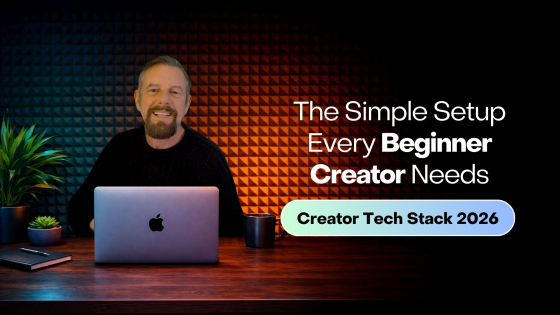
Starting as a creator in 2026? Here's the simple, no-overwhelm setup you actually need — tools, platforms, systems & steps to get started fast.
Most beginners fail before they even begin.
Not because they lack talent. Not because they lack ideas. Not because they lack time.
They fail because:
❌ They overcomplicate things
❌ They think they need expensive tools
❌ They get stuck in research mode
❌ They feel overwhelmed by tech
But here's the truth: To start as a creator in 2026, you only need a simple setup — NOT a full business stack.
This guide gives you the easiest, fastest, cleanest beginner setup so you can start TODAY.
Let's remove overwhelm and build confidence.
🎥 ▶️ Beginner Creator Setup 2026 — What You ACTUALLY Need to Start
Quick answer: Beginner Creator Setup: What You ACTUALLY Need to Start in 2026 (No Overwhelm Edition) explains how to starting as a creator in 2026? Here's the simple, no-overwhelm setup you actually need — tools, platforms, systems & steps to get started fast.
⭐ Step 1 — Choose ONE Platform to Start On (Don't Try Them All)
Beginner creators make the biggest mistake right here:
❌ They try to be on every platform
❌ They burn themselves out
❌ They dilute their energy
Instead: Choose ONE platform to master first.
Pick based on your personality:
If you love teaching → YouTube If you love short content → Instagram / TikTok If you love writing → Blog If you love talking → Podcast
These are your beginner-friendly platforms:
✔ YouTube Great for long-term growth. Best for educators.
✔ Instagram Fast visibility. Relatable connection.
✔ TikTok Discoverability. Short-form creativity.
✔ Blog SEO + evergreen traffic.
✔ Podcast Voice-first audience connection.
Start with ONE you feel excited about.
⭐ Step 2 — Create ONE Core Topic (Your Niche, Without Pressure)
Beginners think they must "find their niche" immediately.
No.
Your niche will refine itself through content.
Just pick ONE starting viewpoint: "I help people with ____ through ____."
Examples:
- "I help creators build online courses."
- "I help beginners get fit at home."
- "I help busy mums organise their life."
- "I help writers publish books."
Specific → but flexible.
⭐ Step 3 — Use 3 Tools Only (Simple Beginner Tech Stack)
You do NOT need 10 tools. You do NOT need fancy equipment.
You only need these:
✔ 1. Canva (Free) For:
- Thumbnails
- Posts
- Templates
- Covers
- Branding
✔ 2. CapCut or ScreenStudio (Free/Low-cost) For:
- Editing videos
- Editing short-form content
- Adding captions
✔ 3. Zenler (Your All-In-One Home) For:
- Landing pages
- Email list
- Lead magnets
- Funnels
- Courses
- Memberships
- Community
- Coaching
- Digital downloads
Zenler is your creator HQ from day one.
You don't need WordPress. You don't need Mailchimp. You don't need Clickfunnels. You don't need Patreon. You don't need Gumroad.
One tool = clarity.
⭐ Step 4 — Build Your Email List From DAY ONE
Most beginners skip this. It's the biggest mistake creators make.
Your email list is your:
✔ Safety net
✔ Direct communication channel
✔ Launch platform
✔ Traffic engine
✔ Future income
Set up inside Zenler:
✔ A simple lead magnet
✔ A landing page
✔ A welcome sequence
✔ Tags & segmentation
This ONE step separates beginners who succeed from beginners who disappear.
⭐ Step 5 — Create Your First "Starter Lead Magnet"
Don't stress. It does NOT need to be fancy.
A good beginner lead magnet is:
✔ Short
✔ Easy to consume
✔ Solves ONE small problem
✔ Gives a quick win
Examples:
- Checklist
- Template
- Swipe file
- Mini-guide
- 5-minute training
- Prompt pack
This builds trust FAST.
⭐ Step 6 — Create ONE Simple Offer (Not 10)
Beginners get stuck because they try to sell everything at once.
Don't.
Create ONE simple digital product to start monetising:
✔ Mini-course (£19–£49)
✔ Template pack (£7–£29)
✔ Prompt pack (£9–£39)
✔ Toolkit (£19–£59)
✔ Workshop (£10–£29)
This gives you:
✔ Confidence
✔ Proof of concept
✔ Your first income
✔ Something real to promote
Zenler makes this effortless.
⭐ Step 7 — Build ONE Simple Funnel (Zero Complexity)
Here is the easiest funnel in the world: Lead Magnet → Welcome Emails → Starter Offer
Inside Zenler, set up:
✔ Landing page
✔ Email automation
✔ Offer page
✔ Checkout
✔ Thank-you page
ONE funnel is enough to start making money.
⭐ Step 8 — Create ONE Weekly Content Rhythm
Beginners burn out because they try to post daily everywhere.
Instead, choose one rhythm:
✔ Weekly long-form content
PLUS
✔ 2–3 short-form videos (repurposed from long-form)
This builds:
- Authority
- Trust
- Visibility
- Consistency
The content compounds — even when you're not active.
⭐ Step 9 — Track Only 3 Metrics (Not 20)
Beginners drown in analytics.
Instead, track only:
✔ Email list growth
✔ Funnel conversions
✔ Content consistency
That's it.
Ignore:
❌ Views
❌ Likes
❌ Follower count
❌ Time-watched metrics
Those don't pay your bills.
⭐ Step 10 — The Beginner Creator Growth Path (Your 12-Week Roadmap)
This is EXACTLY what a new creator should do:
Weeks 1–2
- Pick your platform
- Pick your niche
- Create 3–5 starter pieces of content
Weeks 3–4
- Create your lead magnet
- Build your landing page
- Set up your Zenler welcome sequence
Weeks 5–6
- Create your first digital offer
- Upload to Zenler
- Create checkout page
Weeks 7–8
- Build your simple funnel
- Start collecting emails
Weeks 9–12
- Make weekly long-form content
- Repurpose into short-form
- Promote your offer
- Optimise funnel
By the end of 12 weeks, you have:
✔ Content engine
✔ Email list
✔ Lead magnet
✔ Offer
✔ Funnel
✔ Automation
✔ Zenler setup
✔ Clear niche
✔ Consistency
You are now officially a creator with a business.
🎯 Beginner Setup Checklist (Copy & Paste)
- Choose ONE content platform
- Create ONE niche statement
- Use only 3 tools (Canva, CapCut, Zenler)
- Create your first lead magnet
- Set up your Zenler landing page
- Write your welcome email sequence
- Create your first product
- Build your simple funnel
- Set your weekly content rhythm
- Track the BIG 3 metrics
- Follow the 12-week roadmap
This is the fastest, cleanest way to begin.
❓ FAQ's
Q: What tools do beginners REALLY need? Just Canva, CapCut, and Zenler.
Q: Should beginners start with a course or a small product? Start with a small, simple digital product.
Q: Do I need a website first? No — Zenler gives you landing pages instantly.
Q: When should I start email marketing? Immediately. Day one.
Q: Do I need social media to start? No, but one short-form channel helps.
🚀 Call to Action
Becoming a creator doesn't start with:
❌ Fancy gear
❌ Expensive tools
❌ Complicated funnels
❌ Stress
❌ Overwhelm
It starts with:
✔ Clarity
✔ Simplicity
✔ One offer
✔ One platform
✔ One funnel
✔ One rhythm
✔ One tool to run it all
Zenler gives beginner creators EVERYTHING they need:
✔ Landing pages
✔ Email sequences
✔ Funnels
✔ Courses
✔ Communities
✔ Memberships
✔ Digital products
✔ Webinars
✔ Automations
All-in-one. Beginner-proof. Future-ready.
👉 Start your creator journey today with Zenler
🔗 Continue Your Tech Journey
- Best Tools for Creators in 2026 (Beginner → Pro Tech Stack Guide)
- Kajabi vs Teachable vs Zenler (2026 Comparison Guide)
- How to Set Up Your Creator Business (Systems, Tools & Automations for 2026)
- All-In-One Platforms for Creators: Why They're Winning in 2026
- Beginner Creator Setup: What You ACTUALLY Need to Start in 2026
- The Ultimate Tool Replacement Guide: What Zenler Replaces (And How Much You Save in 2026)
Related Articles
- Digital Products Creators Should Sell
- Pricing Strategy for Creators
- Content Repurposing System
- Lead Magnet Funnel
🎥 Watch the entire Tech Tools & Set Up for Creators Series on YouTube → Creator Tech Stack Playlist
FAQ
Who is Beginner Creator Setup: What You ACTUALLY Need to Start in 2026 (No Overwhelm Edition) for?
Beginner Creator Setup: What You ACTUALLY Need to Start in 2026 (No Overwhelm Edition) is for online course creators, coaches and educators who want a practical way to build, market and improve their digital learning business with New Zenler.
How does New Zenler support this workflow?
New Zenler combines course delivery, memberships, live sessions, communities, email marketing, funnels, pages, payments and analytics in one connected platform.
What should creators do next after reading this guide?
Creators should choose one improvement to implement, update the related page or campaign, then measure whether it improves leads, engagement, sales or student progress.
Categories: : Website Builder
Copyright © 2026 Zenler. All rights reserved.
Terms | Privacy Policy | Cookie Policy | Support
