How to Record an Online Course: Beginner Setup Guide
 David Zenler
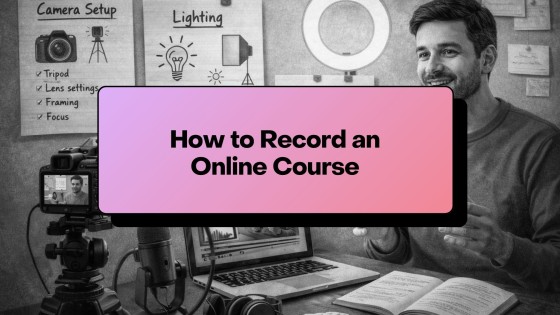
Learn how to record an online course with clear audio, simple lighting, screen recording, lesson structure, and a beginner-friendly workflow.
Recording your online course doesn't have to be complicated. With the right structure and a simple setup, you can create professional-looking lessons without an expensive studio or advanced tech skills.
Quick answer: how do you record an online course?
Record an online course by choosing a lesson style, preparing a simple outline, setting up clear audio and lighting, recording short focused lessons, and checking each file before uploading. For most creators, clear sound and useful teaching matter more than expensive studio equipment.
After recording, New Zenler can help you upload lessons, organise modules, add downloads, publish the course, and connect it to sales pages, funnels, email, communities, and live sessions.
This guide walks you through all the essentials — equipment, recording techniques, lighting, audio, and practical tips that make a huge difference in your final course quality.
How to Record Your Online Course — Complete Setup + Tips
Step 1 — Start With Your Recording Style
There are three main ways to record an online course:
1. Talking Head Videos (you on camera) Great for building trust and connection.
2. Screen Recording Perfect for tutorials, software walkthroughs, and step-by-step demos.
3. Hybrid Recording A mix of webcam + screen — the most engaging for many course topics.
Choose the approach that suits your topic AND your comfort level.
🔗 If you're still structuring your full course, start with How to Create an Online Course (Complete Guide).
Step 2 — Use Simple, Effective Equipment
You do NOT need professional gear. A good course can be recorded with:
Camera Options
- Your smartphone (1080p or 4K)
- Mirrorless camera (optional upgrade)
Microphone Options
- Lapel microphone (best budget choice)
- USB mic for desk recordings
- Shotgun mic for DSLR setups
Lighting
- Natural window light
- Ring light
- Softbox lights
🔗 For a complete gear breakdown, see Course Equipment Guide
Step 3 — Set Up Your Recording Environment
Choose a quiet space with:
- Minimal echo
- Soft surfaces (curtains, carpet, furniture)
- A clean or blurred background
- Good lighting
Your environment matters more than your equipment.
Step 4 — Record Clean, Clear Audio
Audio quality is the #1 factor in course satisfaction.
Tips:
- Keep the mic close to your mouth
- Avoid rooms with hard surfaces
- Turn off fans / air conditioners
- Record a 10–20 second test
- Monitor your levels before recording
A £20–£40 lapel mic beats most expensive cameras with poor microphones.
Step 5 — Screen Recording Setup
For software or technical lessons, screen recording is essential.
Tips:
- Use Zenler's built-in screen recorder or tools like OBS, Loom, or ScreenFlow
- Increase your screen resolution
- Close all unnecessary tabs
- Use zoomed-in UI for clarity
- Highlight your cursor
Screen recordings work extremely well for tutorials and walkthroughs.
🔗 Want to create a clearer teaching structure before recording? Read How to Script Your Course
Step 6 — Use the 5–Point Recording Method
This keeps recording smooth and efficient:
- State the learning outcome
- Teach the concept
- Demonstrate it
- Summarise the key point
- Give a short action step
This is the same structure used by top educators.
Step 7 — Keep Lessons Short and Focused
Shorter lessons:
- Increase student completion rates
- Reduce overwhelm
- Keep content digestible
- Make editing easier
- Reduce re-recording time
Aim for 5–10 minutes per lesson.
Step 8 — Prepare Your Recording Workflow
Before you hit record:
- Have your bullet outline ready
- Turn off notifications
- Do a lighting + framing check
- Do a quick audio test
- Keep water nearby
- Record multiple takes of the intro (optional)
Your goal is consistency, not perfection.
Step 9 — Organise Your Files for Uploading
After recording:
- Rename files clearly
- Group them by module
- Store in cloud or local backup
- Prepare for upload inside Zenler
🔗 When you're ready to upload your lessons, follow How to Upload & Structure a Course in New Zenler
Recording Checklist
- Camera or smartphone
- Mic close to mouth
- Good lighting
- Quiet room
- Clean background
- Clear bullet outline
- Short focused lessons
❓ FAQs (SEO Optimised)
Q: What's the minimum equipment I need? A smartphone + lapel mic + window light is enough for 80% of creators.
Q: Should I record long videos or short lessons? Shorter lessons (5–10 min) increase comprehension and completion.
Q: Do I need to show my face? Not always. Screen recordings or slides work perfectly for many topics.
Q: Can I record everything in one day? Yes — with a strong outline. See How to Script Your Course.
🚀 Call to Action
Once your recordings are ready, it's time to upload your content and build your course experience.
Zenler gives you a complete toolkit to organise your modules, host your videos, and prepare for launch — all without tech headaches.
👉 Start building today with New Zenler
Your Complete Course Creation Roadmap
How to Create an Online Course (Complete 2026 Step-by-Step Guide)
- How to Plan an Online Course
- How to Script / Outline Your Course
- How to Record an Online Course
- Course Equipment Guide
- How to Price Your Online Course
- How to Upload & Structure a Course in New Zenler
🎥 Watch the Full Video Series
Prefer to learn by watching? We've turned this entire guide into a step-by-step video series on YouTube.
👉 Watch the Course Creation Playlist
FAQ
Who is How to Record an Online Course: Beginner Setup Guide for?
How to Record an Online Course: Beginner Setup Guide is for online course creators, coaches and educators who want a practical way to build, market and improve their digital learning business with New Zenler.
How does New Zenler support this workflow?
New Zenler combines course delivery, memberships, live sessions, communities, email marketing, funnels, pages, payments and analytics in one connected platform.
What should creators do next after reading this guide?
Creators should choose one improvement to implement, update the related page or campaign, then measure whether it improves leads, engagement, sales or student progress.
Categories: : Online Course Creation
Copyright © 2026 Zenler. All rights reserved.
Terms | Privacy Policy | Cookie Policy | Support
