How to Plan an Online Course from Idea to Outline
 David Zenler
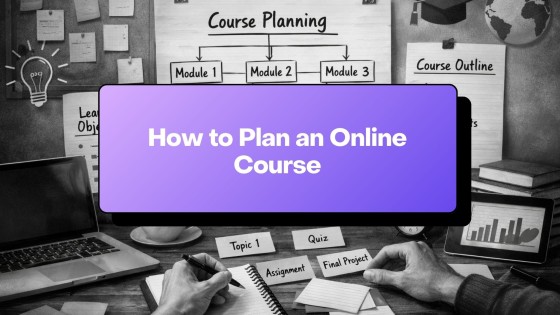
Learn how to plan an online course by defining the student transformation, mapping modules, outlining lessons, and preparing to build in New Zenler.
Planning your online course is the foundation for everything that follows. A clear plan removes overwhelm, speeds up recording, and creates a better learning experience for your students.
Quick answer: how do you plan an online course?
Plan an online course by defining one clear student transformation, breaking that transformation into milestones, turning each milestone into modules, and outlining lessons that move students from where they are now to the promised result.
A strong plan makes recording easier, reduces student overwhelm, and helps you build a clearer sales page. In New Zenler, that course plan can become your lesson structure, modules, downloads, checkout offer, and student learning path.
In this guide, you'll learn how to shape your idea, define the transformation, map your modules, and create a clean outline you can record with confidence.
How to Plan Your Online Course — Step-by-Step Tutorial
Step 1 — Start With One Clear Transformation
Every great course solves ONE specific problem.
Examples:
- "Learn how to create your first ring in ZBrush."
- "Build your first membership site from scratch."
- "Start a digital product business with no tech headaches."
Ask yourself:
- What transformation will my student experience?
- Who exactly is this for?
- What result will they walk away with?
🔗 If you're still shaping your idea, go deeper with How to Create an Online Course (Complete Guide)
Step 2 — Break the Transformation Into Milestones
Think of milestones as the major steps a student must complete to reach the final transformation.
For example:
- Topic validation
- Planning
- Filming
- Editing
- Uploading
- Launching
Each milestone will later become a module.
🔗 Next, turn these milestones into a teaching flow using How to Script and Outline Your Course
Step 3 — Create Your Module Structure
Aim for 3–7 modules. Each module should have a single learning outcome.
A clean structure might look like:
- Introduction & Expectations
- Core Skills
- Practical Demonstration
- Implementation
- Extras & Templates
- Final Review
Students LOVE clarity. This also gives you a recording roadmap.
Step 4 — Create Lesson-Level Outlines
Each lesson needs only:
- A hook
- 2–3 teaching points
- A demonstration or example
- A short summary
- A call to action
Don't overcomplicate — clarity beats perfection.
🔗 For a step-by-step method, see How to Script Your Course
Step 5 — Decide What to Demonstrate vs Explain
A great course blends:
- On-screen demonstration
- Visual walkthroughs
- Talking to camera
- Screen tutorials
- Worksheets or templates
Pro tip: Demonstrations boost completion rates.
🔗 If you discuss recording: For recording guidance, check How to Record an Online Course
Step 6 — Validate Your Course Before Recording
Validation reduces risk and increases sales.
You can validate by:
- Running a poll
- Asking your community
- Offering a mini-workshop
- Selling a "founders version"
- Sending a teaser email
- Posting on social media
Simple rule: If 5–10 people say "YES — I want this!" you've validated.
Step 7 — Prepare Your Recording Checklist
Before filming, make sure you have:
- Your outline
- Your slides (if any)
- Your screen demo ready
- A clean background
- Good lighting
- A mic setup
🔗 Not sure what gear to use? See our Course Equipment Guide
Step 8 — Organise Your Entire Course Flow
Put your modules and lessons into your final structure:
Module 1 → Lesson 1, Lesson 2
Module 2 → Lesson 1, Lesson 2, Lesson 3
Module 3 → Lesson 1, Lesson 2
This final outline is what you'll use when recording and uploading.
🔗 When you're ready to upload your lessons, follow How to Upload & Structure a Course in Zenler
Your Final Course Planning Checklist
- One transformation
- Clear audience
- 3–7 modules
- Milestones defined
- Lesson outlines done
- Validation completed
- Recording script ready
You are now ready for scripting and recording.
❓ FAQ's
Q: How many modules should an online course have? Most successful courses have 3–7 modules. More than that becomes overwhelming.
Q: Should lessons be long or short? Short lessons (5–10 minutes) increase completion rates.
Q: Do I need to script every lesson? No — but you should follow a consistent outline. See How to Script Your Course.
Q: How do I know if my idea will sell? Validate through pre-sells, polls, workshops, or early-bird offers.
🚀 Call to Action
Ready to turn your plan into a complete course?
Start building your modules and lessons inside Zenler — the all-in-one creator platform designed to help you launch quickly and beautifully.
👉 Start building today with New Zenler
📌 Your Complete Course Creation Roadmap
How to Create an Online Course (Complete 2026 Step-by-Step Guide)
- How to Plan an Online Course
- How to Script / Outline Your Course
- How to Record an Online Course
- Course Equipment Guide
- How to Price Your Online Course
- How to Upload & Structure a Course in Zenler
🎥 Watch the Full Video Series
Prefer to learn by watching? We've turned this entire guide into a step-by-step video series on YouTube.
👉 Watch the Course Creation Playlist
Related course planning resources
Use these next guides to turn your outline into a stronger course offer, launch plan and student experience.
- Turn your coaching framework into an online course
- Use AI to plan a complete course launch
- Compare simple online course pricing models
FAQ
Who is How to Plan an Online Course from Idea to Outline for?
How to Plan an Online Course from Idea to Outline is for online course creators, coaches and educators who want a practical way to build, market and improve their digital learning business with New Zenler.
How does New Zenler support this workflow?
New Zenler combines course delivery, memberships, live sessions, communities, email marketing, funnels, pages, payments and analytics in one connected platform.
What should creators do next after reading this guide?
Creators should choose one improvement to implement, update the related page or campaign, then measure whether it improves leads, engagement, sales or student progress.
Categories: : Online Course Creation
Copyright © 2026 Zenler. All rights reserved.
Terms | Privacy Policy | Cookie Policy | Support
