How to Migrate to New Zenler Without Breaking Your Course Business
 David Zenler
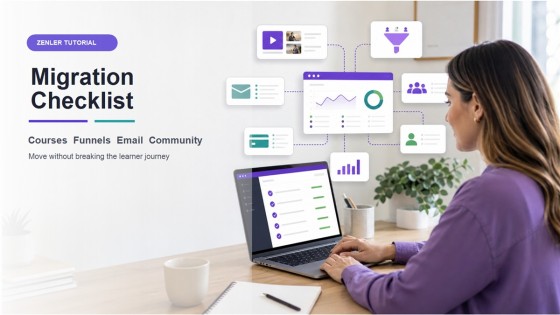
Use this practical migration checklist to move courses, funnels, email, community, payments and students into New Zenler without disrupting your business.
Quick answer: The safest way to migrate to New Zenler is to map your current course business first, rebuild the core learner journey in stages, test every payment and login path, then switch traffic only after your courses, funnels, email, community and student access are working.
Migration is not just copying lessons from one platform to another.
A course business usually has many connected parts: sales pages, checkout, emails, automations, communities, student access, lead magnets, analytics and support workflows.
If you move everything at once without a plan, small gaps can become painful. If you migrate in the right order, the move can make the whole business simpler.
Step 1: Map What You Already Have
Before rebuilding anything, create a simple inventory.
List:
- Courses, memberships, bundles and coaching offers.
- Sales pages, landing pages and checkout pages.
- Lead magnets and opt-in forms.
- Email sequences, broadcasts and tags.
- Student groups, communities and support spaces.
- Automations, certificates, coupons and integrations.
- Analytics you currently rely on.
This gives you a migration map instead of a vague to-do list.
Step 2: Decide What Should Move and What Should Improve
Migration is a good time to simplify.
Do not automatically copy every old page, tag, email or funnel. Decide what still supports the business now.
Keep the assets that help students buy, learn and succeed. Retire outdated pages, old promotions, duplicated funnels and unused email sequences.
If you are comparing platforms, use the current Kajabi, Teachable and Zenler comparison and the New Zenler vs Kajabi vs Thinkific guide to decide which workflows need to be rebuilt differently.
Step 3: Rebuild the Course Delivery First
Your course delivery is the heart of the migration.
Start with:
- Course structure.
- Modules and lessons.
- Videos, downloads and worksheets.
- Student access rules.
- Completion flow and support instructions.
The current New Zenler online course platform page is the source-of-truth reference for course-building capability.
Step 4: Rebuild Your Sales Path
Once the course exists, rebuild the buying path.
Check:
- Offer name and price.
- Sales page promise.
- Checkout page.
- Coupons or payment plans.
- Thank-you page.
- Student onboarding email.
Use the New Zenler sales funnel software page as the current capability reference for funnels and sales paths.
Step 5: Move Email and Automation Carefully
Email migration needs attention because email controls trust, onboarding and follow-up.
Move one core sequence first:
- Lead magnet delivery.
- Welcome sequence.
- Course onboarding.
- Sales follow-up.
- Student engagement reminders.
Then test each trigger. Make sure the right person gets the right email after opting in, buying, enrolling or completing a step.
Use the current New Zenler email marketing tool and automation pages as source-of-truth references.
Step 6: Rebuild Community and Student Support
If your course includes a community, migrate the support experience deliberately.
Decide:
- Which spaces students need.
- What posts should be pinned.
- How new members are welcomed.
- How questions are answered.
- What old discussions should be archived instead of moved.
The New Zenler community platform page explains how community can sit alongside courses in the same platform.
Step 7: Test Before You Switch Traffic
Before changing public links or sending students to the new setup, test the complete journey.
Run through:
- Opt-in form.
- Lead magnet delivery.
- Sales page.
- Checkout.
- Student login.
- Course access.
- Email sequence.
- Community access.
- Refund or support process.
Do this as if you are a brand new student. The small details matter.
Step 8: Switch in Phases
Do not switch every asset at once unless your setup is very small.
A safer order is:
- New lead magnets.
- New funnels.
- New buyers.
- Existing students.
- Old evergreen links.
- Legacy emails and redirects.
This phased approach protects sales and gives you room to catch issues early.
Step 9: Monitor Analytics After the Move
After migration, watch the numbers closely.
Track:
- Opt-in conversion.
- Email clicks.
- Checkout conversion.
- Course progress.
- Video drop-off.
- Refunds and support questions.
The New Zenler analytics page is the current source-of-truth reference for analytics capability.
Migration Checklist
- Inventory current assets.
- Decide what to keep, improve or retire.
- Build course delivery.
- Build sales pages and checkout.
- Move lead magnets and email sequences.
- Set automations.
- Set community access.
- Test student login and purchase flow.
- Switch traffic in phases.
- Monitor analytics after launch.
Conclusion
A good migration should make your business easier to run, not just move it to a new dashboard.
Start with the learner journey. Move the pieces in the right order. Test before you switch traffic. Then use analytics to improve the new system.
For the bigger strategic picture, read The Creator Business Operating System and explore the current New Zenler features page.
FAQ
What should I migrate to New Zenler first?
Start with course delivery and the core student journey. Then rebuild sales pages, checkout, email, automations, community and analytics tracking.
Should I move every old email and funnel?
No. Migration is a good time to remove outdated sequences, duplicated pages and old promotions that no longer support the business.
How do I avoid disrupting students during migration?
Test the full purchase, login and learning flow before switching traffic. Move in phases and communicate clearly with existing students if their access path changes.
Can New Zenler replace multiple creator tools?
Yes. New Zenler includes courses, funnels, email marketing, automations, communities, live sessions, memberships, payments and analytics in one platform.
Categories: : Zenler Tutorials
Copyright © 2026 Zenler. All rights reserved.
Terms | Privacy Policy | Cookie Policy | Support
