AI Course Launch Checklist: From Lesson Ideas to Email Sequences in New Zenler
 David Zenler
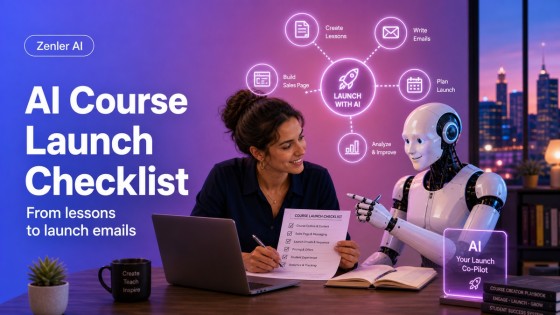
Use this AI course launch checklist to validate your idea, outline lessons, build in New Zenler, create a lead magnet and write launch emails.
Quick answer: An AI course launch checklist helps creators move from idea to enrolments by using AI for research, outlines, lesson planning, lead magnet ideas and launch emails, then building the actual course, funnel and email workflow inside New Zenler. The key is to use AI for speed while keeping your expertise, proof and final decisions human.
Launching an online course can feel like too many jobs at once. You need a clear offer, useful lessons, a way to capture leads, a launch page, email follow-up and a simple way for students to buy and access the course.
AI can make that workflow faster, but it should not replace your judgment. The strongest course launches still come from real expertise, a specific audience and a clear transformation. AI helps you organise those pieces so you can build faster inside New Zenler.
This checklist gives you a practical path from lesson ideas to email sequences, using AI where it helps and New Zenler where the launch actually comes together.
1. Validate the Course Idea Before You Build
Do not start by asking AI to create a full course. Start by validating the problem. A course idea is stronger when it solves a real pain, speaks to a specific person and leads to a clear outcome.
Ask AI to help you organise what you already know:
- Who is the course for?
- What urgent problem are they trying to solve?
- What have they already tried?
- What mistakes keep them stuck?
- What would a realistic first result look like?
A useful prompt is:
Prompt: I teach [topic] to [audience]. Help me identify the top problems this audience wants solved, the likely objections, and three course promises that are specific, realistic and not overhyped.
Before moving on, choose one course promise that you could confidently explain in your own words. If the promise sounds like generic AI copy, tighten it until it sounds like something you would actually say.
Related guide: how to use AI agents without losing your brand voice.
2. Turn the Promise Into a Course Outline
Once the promise is clear, use AI to draft a course structure. The aim is not to create the perfect curriculum on the first attempt. The aim is to get a useful starting point that you can edit.
A simple course outline should include:
- modules or sections
- lesson titles
- what each lesson helps the student do
- one action step per lesson
- any worksheet, template or checklist needed
In New Zenler, courses are organised into sections and lessons, so ask AI to structure the outline that way from the start.
Prompt: Turn this course promise into a New Zenler-friendly course outline with sections, lessons, action steps and suggested downloads. Keep it practical for beginners and avoid adding lessons that do not directly support the course promise.
Then review the outline manually. Remove filler lessons. Add your real examples. Make sure each section moves the student closer to the promised result.
For the platform build steps, use How to Create an Online Course in Zenler.
3. Build the Core Lessons in New Zenler
AI can help you draft lesson scripts, summaries, worksheets and quizzes, but the teaching needs to remain yours. A good lesson should include one clear idea, one example and one student action.
Use AI to turn each lesson into a teaching plan:
- lesson objective
- short explanation
- example or demonstration
- student task
- download or checklist
- reflection question
Inside New Zenler, you can then build the course using your lessons, resources and student journey in one place. This keeps the launch practical because the content, access and selling workflow can connect under the same platform.
Related guide: AI course creation for course creators.
4. Create a Lead Magnet That Matches the Course
A lead magnet should not be random. It should give people a small, useful win that naturally points toward the paid course.
Good AI-assisted lead magnet ideas include:
- a checklist
- a worksheet
- a mini audit
- a template
- a short training
- a question bank
- a planning guide
Ask AI for lead magnet ideas based on the course promise, but choose the one that is easiest for your audience to use. The lead magnet should help the right person take the first step, not overwhelm them with a full course before they buy.
Prompt: Based on this course promise, suggest ten lead magnet ideas. For each one, explain the quick win, the audience problem it solves, and how it naturally leads to the paid course.
Zenler includes the tools to turn that lead magnet into a real funnel. You can build the page, connect the opt-in, deliver the resource and follow up with emails. For a practical funnel workflow, read How to Build Funnels in Zenler and see Zenler's sales funnel software.
5. Write the Launch Email Sequence
Email is where many launches become clear or confusing. AI can help you draft a sequence, but you should decide the message, proof, tone and offer.
A simple launch sequence might include:
- Email 1: deliver the lead magnet and introduce the problem
- Email 2: teach a useful idea and build trust
- Email 3: explain the cost of staying stuck
- Email 4: introduce the course as the next step
- Email 5: answer objections
- Email 6: remind people before the real deadline or launch window closes
Prompt: Create a six-email launch sequence for [course name]. The audience is [audience]. The course helps them [result]. Keep the tone [tone]. Do not invent testimonials, fake deadlines or income claims. Include the goal of each email before drafting the copy.
Once the emails are drafted and edited, build them into your Zenler email workflow. For more examples, read AI Email Marketing.
6. Build the Launch Page and Checkout Path
Your course launch page should make the offer easy to understand. It does not need to be complicated, but it does need to answer the questions a buyer is already asking.
A strong course launch page includes:
- who the course is for
- the outcome or transformation
- what is included
- why the creator can teach it
- what happens after purchase
- clear pricing and checkout
- a direct call to action
AI can help draft the page sections, but check every claim. Do not let AI invent proof, results, guarantees, feature details or deadlines. Keep the offer honest and specific.
Zenler is designed as an all-in-one creator platform, so your course, pages, funnels, email marketing, community and payments can work together without stitching together separate tools. See the current Zenler features page for the source-of-truth feature set.
7. Run a Pre-Launch Quality Check
Before you launch, check the student journey from start to finish. This is where many creators catch simple mistakes that would otherwise cost trust.
Use this checklist:
- Course title and description are clear.
- Course sections and lessons are in the right order.
- Downloads open correctly.
- Lead magnet form works.
- Thank-you page or next step is clear.
- Email sequence sends the right message at the right time.
- Checkout link works.
- Student access works after purchase.
- Support contact or help path is visible.
AI can help you create a QA checklist, but test the workflow yourself. A launch is not ready until the real user path works.
For a wider platform walkthrough, read How to Use Zenler: The Complete 2026 Guide.
8. Launch, Review and Improve
Launching is not the end of the workflow. After the first launch, collect signals:
- Which emails got replies?
- Where did people click?
- Which objections came up?
- Which lessons need clearer examples?
- Which lead magnet brought the best-fit audience?
AI can help summarise this feedback and suggest improvements, but you should decide what changes matter. Use the launch to improve your course, your funnel and your message.
AI Course Launch Checklist Summary
- Validate the course idea.
- Turn the promise into a course outline.
- Build the core lessons in New Zenler.
- Create a lead magnet that matches the course.
- Write a useful launch email sequence.
- Build the launch page and checkout path.
- Run a pre-launch quality check.
- Launch, review and improve.
The best use of AI is not to make a course generic faster. It is to help you organise your expertise, remove blank-page friction and move through the launch workflow with more clarity.
Use AI for speed. Use your expertise for trust. Use New Zenler to bring the course, funnel, emails and student experience together.
Related New Zenler AI Resources
- How Course Creators Can Use AI Agents Without Losing Their Brand Voice
- AI Agents for Course Creators
- AI Course Creation
- AI Email Marketing
- How to Create an Online Course in Zenler
FAQ
Can AI create my whole course launch?
AI can help plan, draft and organise a course launch, but the creator should still decide the promise, examples, proof, teaching approach and final offer.
What should I create first for an AI-assisted course launch?
Start with the course promise and audience problem. Once those are clear, use AI to outline the course, draft lessons, create a lead magnet and plan the email sequence.
Can I build the full launch inside New Zenler?
Yes. New Zenler brings together course creation, pages, funnels, email marketing, community, payments and student delivery in one platform.
How do I stop AI launch copy from sounding generic?
Give AI your audience details, examples, voice, offer, proof and boundaries. Then edit the final copy so it sounds like you and only includes accurate claims.
Final Takeaway
An AI course launch checklist works best when it keeps the workflow simple: validate the idea, outline the course, build the lessons, create the lead magnet, write the emails and launch through New Zenler.
AI can help you move faster, but your expertise is what makes the launch worth trusting.
Categories: : AI for Course Creators
Copyright © 2026 Zenler. All rights reserved.
Terms | Privacy Policy | Cookie Policy | Support
