AI Summit Replay for Course Creators: What to Watch and Apply
 David Zenler
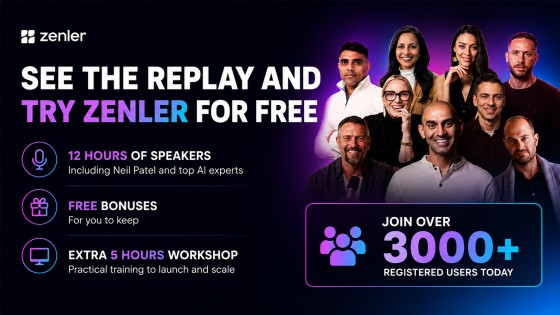
Use the AI for Course Creators Summit replay to improve course planning, marketing, student support and Zenler workflows.
Quick answer: The AI for Course Creators Summit replay is best used as a practical training library: watch the sessions that match your next bottleneck, then apply the ideas inside your course, marketing, community, and automation workflow. For current Zenler trial access and plan details, always check the official New Zenler pricing page.
Why the AI Summit Replay Matters
AI is changing the way course creators research, plan, write, market, support, and improve online education businesses. The opportunity is not simply to create more content. The real advantage is using AI to make better decisions, move faster, and give students a clearer learning experience.
The summit replay gives course creators a way to learn from practical demonstrations instead of theory. Use it as a working library. Pick one business problem, watch the most relevant training, and turn the lesson into a small implementation inside your Zenler school.
What to Focus on First
If you are short on time, do not try to watch everything in one sitting. Start with the areas that will create the biggest improvement in your business.
- Course planning: use AI to structure modules, lessons, examples, worksheets, and outcomes.
- Marketing clarity: improve positioning, landing page copy, email sequences, and campaign ideas.
- Student support: identify common questions, improve onboarding, and create better help resources.
- Content repurposing: turn workshops, lessons, and live sessions into useful follow-up assets.
- Business operations: use AI to plan workflows, reduce repetitive admin, and improve decision-making.
How to Apply the Replay Inside Zenler
Zenler is useful because the platform gives you several places to apply what you learn. You can turn AI-assisted ideas into course lessons, blog posts, funnel pages, email broadcasts, live-session plans, community prompts, and student resources without having to move between disconnected tools.
For a broader overview of the platform workflow, read Zenler Features: The Complete Creator's Toolbox in One Platform. If you are building a course from scratch, also see Create a Course with Zenler.
A Simple AI Implementation Plan
Step 1: Choose One Outcome
Decide what you want to improve first: a course outline, a launch email, a workshop funnel, a student onboarding sequence, or a community engagement plan. A focused outcome makes the replay easier to use.
Step 2: Watch With a Working Document Open
Do not only take notes. Draft prompts, page copy, lesson outlines, and email ideas as you watch. The goal is to leave each session with something you can test.
Step 3: Build the Asset in Zenler
Move the draft into Zenler as quickly as possible. Create the lesson, page, funnel, blog post, broadcast, or community post while the idea is still fresh.
Step 4: Review Like a Human
AI output still needs your judgment. Check accuracy, tone, examples, learner fit, and brand voice before publishing anything. AI should speed up thoughtful work, not replace your expertise.
Where Zenler AI Fits
Zenler AI features are designed to help creators improve practical parts of the business, from content creation to support and re-engagement. The strongest results come when creators combine their knowledge of students with AI-assisted planning and the publishing tools already inside Zenler.
For more on AI use cases, read AI Agents for Small Business and Why Most Course Creators Are Using AI the Wrong Way.
Current Access and Pricing Note
Older summit pages and promotional campaigns may reference special access windows. Those details can change. Treat the official New Zenler pricing page and current registration flow as the source of truth for active trial access, plan inclusions, and pricing.
Check current Zenler pricing or start through the current registration flow.
FAQ
Who is the AI summit replay for?
It is for course creators, coaches, educators, membership owners, and online business owners who want practical AI strategies they can apply to content, marketing, delivery, and support.
Should I use AI to write my whole course?
No. Use AI to speed up planning, structure, drafting, and review. Your expertise, examples, teaching method, and student insight should still lead the course.
Where should I check current Zenler trial details?
Use the official New Zenler pricing page as the source of truth for current trial access, plans, pricing, and feature availability.
Categories: : AI for Course Creators
Copyright © 2026 Zenler. All rights reserved.
Terms | Privacy Policy | Cookie Policy | Support
