You Need Expensive Gear? Your Phone Is Enough To Start
 David Zenler
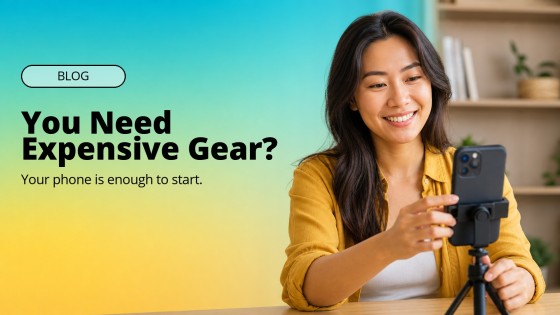
Your phone is enough to start creating useful course content. Learn what matters, what to upgrade first, and how to publish confidently.
Do You Need Expensive Gear To Start Creating Content?
No. You do not need expensive gear to start creating course content, short videos, lessons, tutorials or social posts. You need a clear message, decent sound, simple light and the confidence to make the first useful version.
That matters because a lot of new creators delay the work while they wait for the perfect setup. They compare cameras, microphones, lights, tripods and backdrops before they have tested whether their idea helps anyone. The problem is not that gear is bad — good gear can help later. The problem is using gear as a polite excuse not to publish.
Your phone is enough to start. Think again if you believe a beginner needs a studio before they can teach, explain or build trust. The real question is simpler: can you help the right person understand one useful thing today?
Why Creators Get Stuck On Gear
Gear feels safe. It gives you something practical to research when the harder work is putting your idea in front of people. A camera review is easier than recording your first lesson. Buying a ring light feels more comfortable than saying, "Here is what I know, and here is how it can help you."
There is also a little status pressure in creator culture. You see polished YouTube studios, desk setups, podcast rooms and dramatic B-roll. Then it is easy to assume the equipment created the trust. It did not — the trust came from useful ideas delivered consistently.
MKBHD is a useful reminder here. He is now known for high production values, but he has talked openly about starting with basic equipment and improving over time. The lesson for course creators is not to ignore quality — it is to earn your upgrade through action, not delay action until you upgrade.
What Your Phone Can Already Do Well
A phone gives you enough to validate your idea, build a habit and create a small library of useful content. You can record vertical videos for short-form platforms, horizontal tutorials for YouTube, quick course lessons, behind-the-scenes clips, student support answers and simple product explainers.
For most beginner content, the phone is not the weakest part of the setup. Usually, the weak points are light, audio, framing and message clarity — and all four can be improved without buying a new camera.
Start with these simple upgrades before buying a camera:
- Use natural window light and face the light instead of sitting with a bright window behind you
- Record in a quiet room with soft furnishings to reduce echo
- Raise the phone to eye level so the video feels natural
- Clean the lens before every recording
- Use the back camera when quality matters and test focus before you start
- Write three bullet points instead of a full script so you sound human
- Record a short test clip and listen back before recording the full lesson
What Matters More Than Gear
If you are a course creator, coach, consultant or digital product seller, your content has a job. It should help the right person trust you enough to take the next step. That does not happen because your camera has a beautiful background blur — it happens when your message is clear.
A strong beginner video usually answers one specific question. It does not try to teach the whole subject. For example, instead of recording "Everything you need to know about email marketing," start with "The first email every course creator should write before launch." That is easier to film, easier to watch and easier to act on.
Stop trying to impress. Produce a useful answer.
A Simple Phone Content Setup For Course Creators
Here is a practical starter setup that works for most creators before they invest in bigger equipment:
- Phone — use the smartphone you already own. Set it to 1080p if storage is tight or 4K if you know your workflow can handle it.
- Light — sit facing a window or use one affordable soft light. Avoid harsh overhead lighting.
- Audio — if you buy one thing first, buy a simple clip-on microphone. Clear sound matters more than cinematic video.
- Support — use a small tripod or stand. A stable phone instantly looks more professional.
- Background — choose a tidy, calm space. It does not need to look like a studio.
- Workflow — batch two or three short videos at a time so setup does not become a daily obstacle.
This is enough to build confidence, test your teaching style and learn what your audience responds to before spending serious money.
How To Record Better Lessons With A Phone
Course lessons need a little more structure than quick social posts. Students are not only watching for inspiration — they are trying to learn something and get a result.
Keep each phone-recorded lesson focused on one outcome. Tell the student what they will be able to do by the end, show the steps, then give them one action. If you are recording a screen tutorial, use your phone for the intro and outro, then pair it with a screen recording for the practical demonstration.
For a first course, perfection is not the goal. Clarity is. A clean five-minute lesson that helps someone complete a task is more valuable than a beautiful twenty-minute lesson that wanders.
When Should You Upgrade Your Gear?
Upgrade when you have a real reason, not because you feel behind. Good reasons include repeated audio issues, low-light filming you cannot avoid, longer-form YouTube content, paid ads, premium course production or a workflow where better equipment saves time.
The better move is to upgrade in this order:
- Audio — a microphone can make a phone video feel far more professional
- Lighting — better light can improve the image without changing the camera
- Stability — a tripod removes shaky footage
- Camera — only after those basics are handled should you think seriously about a dedicated camera
Remember, your first job is to prove the message. The second job is to improve the production.
How This Fits A Course Business
If your goal is to sell courses, coaching, memberships or digital products, content should not be random. It should lead people from problem awareness to trust, then from trust to your offer.
A phone can support that entire path. You can record short myth-busting clips, answer common student questions, share quick wins, create lesson previews, film testimonials with permission, and make simple launch content. Inside Zenler, those ideas can connect to your course, community, live sessions, funnels and emails rather than sitting as disconnected social posts.
If you are planning your wider content workflow, the New Zenler guide on AI for content creators is a useful next read: How Creators Can Use AI to Plan, Script & Produce Content Faster
And if you are turning your knowledge into a course, this article on the state of online courses in 2026 adds helpful context about why creators now need more than just information: The State of Online Courses in 2026
Common Mistakes To Avoid
- Do not record in a noisy room and hope people will tolerate it. They might forgive average video, but poor audio is hard work.
- Do not copy creators with a completely different business model. A tech reviewer, lifestyle influencer and course creator all need different content.
- Do not hide behind editing. A clean, useful video with simple cuts is better than a heavily edited clip with no point.
- Do not wait until you feel ready. You get ready by making the work.
FAQ
Do I need a professional camera to create an online course? No. You can start an online course with a smartphone if the lessons are clear, well-lit and easy to hear. Upgrade later when your course is validated or when better gear solves a real production problem.
Is a phone good enough for YouTube or course videos? Yes, especially for beginner tutorials, short lessons and talking-head videos. Good light, stable framing and clear audio matter more than the camera model.
What should I buy first for phone video creation? Buy a simple microphone first if your sound is weak. After that, consider a tripod and a soft light. Those three upgrades usually improve phone videos more than a new camera.
How can course creators make phone videos look professional? Use natural light, clean framing, a quiet room and a simple outline. Keep each video focused on one useful idea.
Related Posts
These New Zenler posts connect naturally with getting started, creating useful content and turning simple ideas into a stronger course business:
- Mastering Video Marketing: A Comprehensive Guide To Getting Top Of Your Niche
- Creating Content and Generating Leads for Course Creators Without Breaking Facebook Rules
- The Circle of Profit: Maximise Your Content Time As A Course Creator
- How To Create Your First Online Course With Zenler
Your Next Step
Start with the phone in your hand. Record one useful answer today, even if it is rough. Then watch it back and improve one thing next time.
This is not an overnight success. It is a habit. Keep your eyes open, listen to what your audience asks, and let your gear grow with your skill instead of replacing it.
Categories: : Online Course Creation
Copyright © 2026 Zenler. All rights reserved.
Terms | Privacy Policy | Cookie Policy | Support
