How to Create an Online Course with AI
 David Zenler
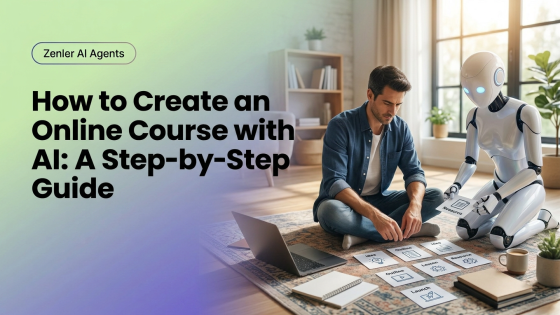
Learn how to create an online course with AI by validating your idea, structuring lessons, drafting resources and supporting marketing.
Creating an online course can be faster when you have the right structure. AI can help you organise your ideas, structure your lessons and speed up production, while you remain the expert your students want to learn from.
Create An Online Course With AI
Creating your first online course can feel overwhelming. You have the knowledge. You know you can help people. But turning everything you know into a structured course? That's another challenge altogether.
Many people never start because they believe they need a professional studio, fancy equipment, weeks of uninterrupted time, or the perfect script.
The reality is very different. Today's AI tools can remove much of the repetitive work involved in creating a course, allowing you to focus on teaching instead of administration. That's exactly where AI delivers the biggest value.
Quick answer: AI helps creators build online courses by organizing ideas, structuring lessons, drafting resources, creating quizzes, improving course materials, and supporting marketing. It can speed up production while the creator’s expertise stays at the centre of every lesson.
Step 1 – Start With The Result
Before creating a single lesson, ask yourself one simple question. What should someone be able to do after completing this course? That answer becomes your destination. Everything else should lead towards it.
Many course creators make the mistake of teaching everything they know. Students don't need everything. They need the right things in the right order.
Step 2 – Break The Journey Into Modules
Once you know the final outcome, divide it into logical milestones. For example: introduction, foundations, practical skills, advanced techniques, implementation, and next steps.
Each module should build naturally on the previous one. AI is excellent at helping you organise those ideas into a clear learning journey.
Step 3 – Turn Modules Into Lessons
Now ask yourself, "What's the smallest step my students need to take next?" Each lesson should solve one problem. Avoid trying to teach too much at once.
AI can help you create lesson outlines, define learning objectives, draft worksheets, generate quizzes and suggest practical exercises. That gives you a strong starting point without removing your own teaching style.
Step 4 – Create Supporting Resources
Students rarely learn from videos alone. Think about adding checklists, worksheets, templates, action plans, reflection questions and downloadable PDFs.
These help students apply what they've learned. AI can dramatically speed up creating these resources while you ensure they reflect your own methods.
Step 5 – Record Naturally
Here's something I wish more people realised. Students aren't looking for television presenters. They're looking for teachers.
Don't aim for perfection. Aim for clarity. Speak naturally. Share stories. Use examples from your own experience. Those moments are often what students remember most.
Step 6 – Build The Student Journey
Creating lessons is only part of the experience. Think about what happens before and after each lesson. For example: welcome emails, progress reminders, community discussions, live Q&A sessions, certificates and next-step recommendations.
AI can help automate much of this, creating a smoother learning experience for every student.
Step 7 – Launch With Confidence
Many creators delay launching because they think everything needs to be perfect. It doesn't.
Launch. Listen to feedback. Improve the course. Update lessons. Expand resources. The best online courses evolve over time. AI makes those updates much easier than they used to be.
Market Your Course With AI
Creating the course is only half the job. People still need to discover it. AI can help create landing pages, email campaigns, blog articles, webinar outlines, social media posts and promotional videos.
Instead of treating marketing as a separate project, make it part of your course creation workflow from day one.
Zenler Makes The Entire Process Simpler
One of the biggest advantages of using Zenler is that everything happens inside one ecosystem. You can create your course, landing pages, checkout pages, email sequences, webinars, communities and memberships without moving between multiple platforms.
When AI is integrated into that workflow, creating and launching courses becomes much more efficient.
AI Helps You Improve Forever
Your first version isn't your final version. Every student question reveals an opportunity. Every webinar highlights another explanation. Every coaching session uncovers another example.
Use AI to improve lessons, update resources, identify common questions, expand explanations and build new modules. Over time your course becomes more valuable without requiring a complete rebuild.
Remember Why Students Bought Your Course
Students didn't enrol because you used AI. They enrolled because they trusted you. Your stories. Your frameworks. Your experience. Your ability to simplify difficult ideas.
AI helps deliver that knowledge. It doesn't replace it. And that's exactly how it should be.
Related Posts
Continue learning:
- AI Course Creation
- Best AI Tools for Course Creation
- AI Lesson Planning
- Can AI Create an Online Course?
- AI Coaching
- AI Content Calendar
- AI Copywriting
- AI Agents for Course Creators
Frequently Asked Questions
Can AI create an online course?
AI can help structure, organise and draft course materials, but the expertise, examples and teaching style should always come from the course creator.
What's the first step in creating an online course?
Start by defining the transformation your students should achieve. Every lesson should move learners towards that outcome.
Can AI help create course worksheets?
Yes. AI is excellent at creating first drafts of worksheets, templates, quizzes and reflection exercises that you can customise.
Should I record every lesson before launching?
Not necessarily. Many successful course creators launch with a core version, gather feedback and improve the course over time.
Is AI good for experienced course creators?
Absolutely. AI reduces planning and administration, making it easier to update courses, support students and create new programmes.
What To Do Next
Stop waiting until everything feels perfect. Choose one topic you know well. Define the transformation you want your students to achieve. Use AI to help organise the learning journey.
Then start teaching. Because the best online courses aren't built by people who know everything. They're built by people who are willing to share what they've already learned.
Related course creation guide: how to create an online course in Zenler.
Related AI workflow resources
Use these Zenler guides to connect AI ideas with practical course business workflows:
- How course creators can use AI agents without losing their brand voice
- AI course launch checklist for New Zenler creators
Categories: : AI for Course Creators
Copyright © 2026 Zenler. All rights reserved.
Terms | Privacy Policy | Cookie Policy | Support
