Online Course SEO: How to Build Topic Clusters Around Your Course Niche
 David Zenler
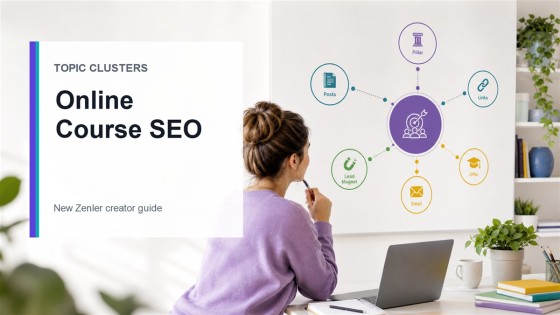
Learn how to build online course SEO topic clusters around your niche so Google and AI search can understand your expertise, lessons and offers.
Quick answer: Online course SEO works best when you build a topic cluster around one clear course niche. Create one pillar guide for the main problem, publish supporting posts for the questions buyers ask, link the posts together, then connect the cluster to your course, lead magnet, funnel, email sequence and sales page.
Most course creators do not need hundreds of random blog posts.
They need a clear content structure that helps people, Google and AI search systems understand what they teach, who they help and which problems their course solves.
That is where topic clusters are useful. A topic cluster turns scattered content into a connected knowledge base around your course niche. It gives each article a job, makes internal linking easier, and creates a stronger path from search visitor to subscriber or student.
What Is an Online Course SEO Topic Cluster?
An online course SEO topic cluster is a group of related pages built around one course niche or learner outcome.
It usually has:
- A pillar page: the main guide for the broad topic.
- Supporting posts: narrower articles answering specific questions.
- Internal links: clear links between the pillar, supporting posts and offer pages.
- A conversion path: a lead magnet, funnel, email sequence, sales page or checkout.
For example, a photography educator might use a pillar page such as “How to Start Pet Photography” and supporting posts on camera settings, posing nervous pets, pricing sessions, editing workflow, client contracts and mini-session marketing.
The goal is not to create content for every keyword variation. The goal is to build a useful body of answers around the real learning journey.
Why Topic Clusters Matter for Google AI Search
Google’s current guidance for AI Overviews and AI Mode says standard SEO best practices still matter because generative AI features are rooted in Google’s core Search ranking and quality systems.
That means course creators should focus on:
- Helpful, original content written for a real audience.
- Clear technical structure so pages can be crawled and indexed.
- Strong internal links that explain relationships between topics.
- Useful images, videos, examples and first-hand teaching insight.
- Content that answers real learner and buyer questions.
Topic clusters help because they make your expertise easier to understand. A single isolated post can rank, but a connected cluster shows depth: what you teach, which problems you cover, what comes before and after, and where a learner should go next.
Step 1: Choose One Course Niche and Outcome
Start with the result your course helps someone achieve.
Weak niche: “marketing.”
Stronger niche: “email marketing for wellness coaches.”
Even stronger outcome: “help wellness coaches create a 30-day nurture sequence that turns workshop leads into booked consultations.”
The more specific the outcome, the easier it is to plan content. You can see the buyer’s questions, objections, learning gaps and practical next steps.
Step 2: Build the Pillar Page
Your pillar page is the main guide for the cluster. It should explain the complete topic clearly enough that a beginner understands the path, while linking to deeper supporting posts for specific steps.
A good pillar page usually includes:
- A direct answer near the top.
- Definitions and context.
- A step-by-step framework.
- Examples from your niche.
- Common mistakes.
- Links to supporting articles.
- A relevant call to action.
If your course teaches a coaching method, pair this with the guide on how to turn a coaching framework into an online course. If your course already has a funnel, use the complete New Zenler course funnel tutorial to connect SEO traffic to email and checkout.
Step 3: Plan Supporting Posts From Real Questions
Supporting posts should answer the questions people ask before they buy, while they learn, and after they start implementing.
Use these sources:
- Sales calls and DMs.
- Student questions.
- Workshop chat questions.
- Search Console queries.
- YouTube comments.
- Community discussions.
- Objections on checkout or sales pages.
For a course on building a membership, supporting posts might include “course vs membership site,” “how to price a membership,” “what to include in a member onboarding sequence” and “how to keep members engaged.”
For a creator using New Zenler, posts can sit inside the built-in blogging platform and connect to courses, funnels and email without sending readers through disconnected tools.
Step 4: Map Search Intent to the Course Journey
Every article should match a stage of the learner journey.
| Journey Stage | Search Intent | Best Content Type | Next Step |
|---|---|---|---|
| Problem aware | “Why am I stuck?” | Explainer or mistakes post | Related guide or checklist |
| Solution aware | “How do I fix this?” | Tutorial or framework post | Lead magnet or workshop |
| Product aware | “Which course/platform/model should I choose?” | Comparison, pricing or case example | Sales page or consultation |
| Student success | “How do I implement this better?” | Workflow, checklist or troubleshooting post | Course lesson, community or live session |
This prevents your blog from becoming vague. Each post supports a real decision or action.
Step 5: Link the Cluster Clearly
Internal links are not just for SEO. They help readers move naturally through the topic.
Use these rules:
- Link every supporting post back to the pillar page.
- Link the pillar page out to every useful supporting post.
- Link related supporting posts to each other when the next step is obvious.
- Use descriptive anchor text, not “click here.”
- Link to the relevant course, funnel, feature or sales page when it helps the reader.
For example, a pricing article can link to how to price an online course, then to the course sales page or checkout path. A customer example can link to New Zenler creator workflow examples so readers can see how content, courses and funnels fit together.
Step 6: Connect SEO Content to a Lead Magnet
SEO traffic is more valuable when you give readers a relevant next step.
Good lead magnets for course topic clusters include:
- Checklists.
- Templates.
- Short workshops.
- Mini courses.
- Worksheets.
- Planning maps.
- Resource libraries.
In New Zenler, you can connect blog content to a funnel, deliver the resource, follow up by email and guide people toward the course. The current sales funnel software and email marketing pages are useful source-of-truth pages for those capabilities.
If you are using AI to plan the launch content, pair this SEO cluster with the AI course launch checklist so your research, lesson planning, lead magnet and email sequence stay connected.
Step 7: Use Images and Examples That Add Meaning
Google’s AI search guidance encourages useful, high-quality images and video where they help users. For course creators, that might mean:
- A topic cluster map.
- A framework diagram.
- A worksheet preview.
- A lesson roadmap.
- A before-and-after workflow.
- A screenshot-style example where it helps explain the process.
Make image ALT text specific, natural and on-topic. It should describe the image and reinforce the page’s subject without keyword stuffing.
Step 8: Review the Cluster Monthly
A topic cluster improves over time.
Each month, review:
- Which posts get impressions but low clicks.
- Which queries show unclear intent.
- Which posts need stronger introductions or examples.
- Which posts should link to newer articles.
- Which questions deserve a new supporting post.
- Which posts should lead to a more relevant offer.
This is where Search Console, student feedback and sales questions become your content roadmap.
Simple Topic Cluster Template for Course Creators
Use this structure:
- Pillar: Complete guide to the course niche or outcome.
- Beginner post: what the topic is and why it matters.
- Mistakes post: what holds people back.
- Framework post: your method or steps.
- Tools post: resources needed to implement.
- Pricing or offer post: how the business model works.
- Case example: how a creator or student applies it.
- Checklist: practical next steps.
- Comparison post: options people weigh before buying.
- Course page: the paid path for the full result.
For the platform side of the journey, connect your cluster to the online course platform page and the practical How to Use Zenler 2026 guide.
Conclusion
Online course SEO is not about publishing random posts and hoping one ranks. It is about building a clear body of helpful content around your expertise.
Choose one course niche. Create a pillar guide. Add supporting posts from real questions. Link everything clearly. Use images and examples that help people understand the topic. Then connect the cluster to a course, lead magnet, funnel and email path.
That structure gives readers a better experience and gives search systems a clearer picture of what you are truly qualified to teach.
FAQ
How many posts should an online course topic cluster include?
Start with one pillar page and five to eight supporting posts. Add more only when real learner questions, search data or sales conversations show a useful gap.
Should every course creator have a blog?
A blog is useful when your audience searches for answers before buying. If your course depends on education, trust and explanation, a focused blog can support discovery, email growth and course sales.
Do topic clusters help with Google AI Overviews?
There is no special topic-cluster markup for Google AI Overviews, but clear, helpful, crawlable content with strong internal links supports the same SEO fundamentals Google says matter for AI search experiences.
What should I link to from SEO blog posts?
Link to the most useful next step: a pillar guide, related supporting article, lead magnet, workshop, course page, pricing guide, sales page or checkout path.
Categories: : Course Marketing
Copyright © 2026 Zenler. All rights reserved.
Terms | Privacy Policy | Cookie Policy | Support
