AI Tools for Course Creators in 2026
 David Zenler
Explore AI tools for course creators and how they can support planning, content creation, workflows, marketing, course production and student support.
The creator economy has matured quickly, and the creators winning in 2026 are not just working harder — they're building smarter workflows powered by AI.
Quick answer: what AI tools do course creators actually need?
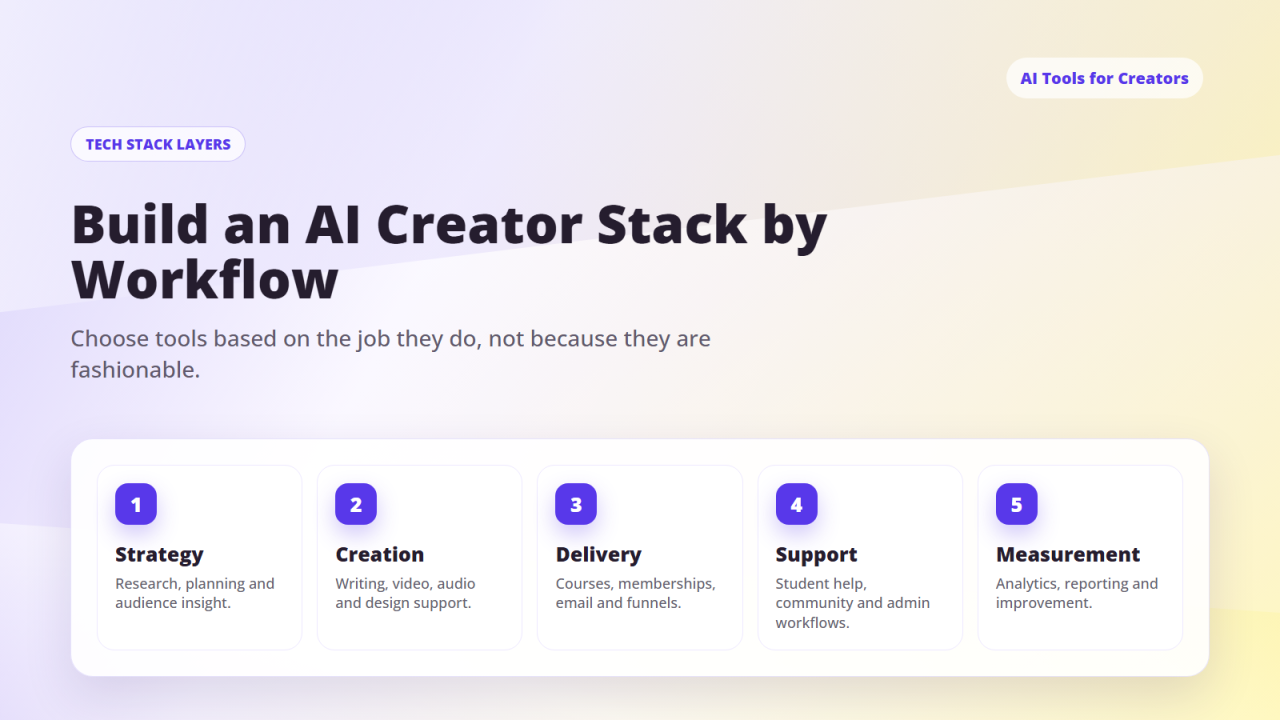
Most course creators do not need a huge AI stack. A focused setup usually includes one AI writing and planning assistant, one design tool, one video or audio helper, and New Zenler as the place where courses, funnels, email, communities, live sessions, and payments come together.
The best stack is the one that reduces tool-hopping. Use AI to plan lessons, draft emails, repurpose content, and speed up production, then publish and sell through a stable course platform so your audience, offers, and student experience stay connected.
This guide breaks down the exact AI tools modern creators use to:
✔ Write content
✔ Script videos
✔ Create graphics
✔ Edit video
✔ Build digital products
✔ Manage their business
✔ Build funnels
✔ Automate marketing
✔ Sell courses & memberships
This is your complete AI creator stack — the modern toolkit for running an online creator business in 2026.
Section 1 — AI Tools for Writing, Planning & Scripting
1. ChatGPT — The Creator's planning and drafting assistant Best for: scripts, emails, funnels, content ideas, prompts, outlines, PDF guides, digital products.
2. Claude — Long-form writing and deep review support Best for: long-form content, detailed course scripts, ebook creation, complex reasoning, research summaries.
3. Google Gemini — Research and multimedia support Best for: research, fact checking, image reasoning, document analysis.
4. Notion AI — The Creator Workspace Assistant Best for: content calendars, system building, knowledge bases, SOPs, planning.
5. Jasper AI — For Copywriting Teams Best for: ad copy, social media copy, conversion copy. (Not essential if you use ChatGPT, but widely used.)
Section 2 — AI Tools for Video Creation & Editing
6. Descript — Edit Video Like a Document
✔ Edit by deleting words
✔ AI filler removal
✔ Audio cleanup
✔ Captions
✔ Multitrack editing
7. OpusClip — Instant Short-Form Clips
✔ Turns long videos into TikToks, Reels, and Shorts
✔ Auto captions
✔ Best moment detection
8. CapCut AI — Fast, Polished Short-Form Editing
✔ Templates
✔ Auto captions
✔ Motion tracking
9. Runway — AI Video Generation & Enhancement
✔ AI b-roll
✔ Video effects
✔ Background removal
10. ElevenLabs — Best AI Voiceovers
✔ Narration
✔ Course voiceover
✔ Audiobooks
Section 3 — AI Tools for Graphics, Branding & Design
11. Canva Magic Studio — The Ultimate Creator Design Suite
✔ Social posts
✔ Slides
✔ Thumbnails
✔ Carousels
✔ Workbooks
✔ Templates
✔ Brand kits
AI features include Magic Write, Magic Design, Magic Eraser, and Magic Expand. Perfect for digital products you'll sell in Zenler.
12. Midjourney — Artistic Image Creation
✔ Thumbnails
✔ Concept art
✔ Social graphics
✔ Assets
13. Ideogram — AI Typography + Image Generation Best for thumbnails, text-integrated images, and poster-style visuals.
14. Adobe Firefly — Content-Safe AI Generation Great for creators who need commercially safe assets.
Section 4 — AI Tools for SEO, Blogs & Research
15. Surfer SEO — SEO scoring, keyword suggestions, competitor analysis.
16. SEO.ai — Fast AI-generated blog content optimisation.
17. Ahrefs / SEMrush — Keyword & competitor analysis (heavily AI-assisted).
Section 5 — AI Tools for Digital Product Creation
18. Canva — AI writes the content → Canva designs it.
19. Notion — Creators can sell Notion templates easily.
20. Google Docs — Perfect for checklists, guides, ebooks.
21. Figma — Advanced design with AI plugins.
Section 6 — AI Tools for Automation & Creator Workflows
22. Zapier AI — Connects apps, creates automation flows, AI logic creation.
23. Make (formerly Integromat) — More advanced automation.
24. Tana / Workflowy AI — Next-gen thinking and planning tools.
25. Zenler — The All-in-One Creator Automation Engine
Zenler's built-in automation handles:
✔ Funnels
✔ Email sequences
✔ Course delivery
✔ Digital products
✔ Membership access
✔ Webinar automation
✔ Tagging
✔ Segmentation
✔ Lead management
Zenler replaces 5–10 other tools easily.
Section 7 — The AI Creator Stack (Your Recommended Setup)
| Purpose | Tool | Why |
|---|---|---|
| Writing & strategy | ChatGPT or Claude | Fastest way to plan + write |
| Scripts & outlines | ChatGPT | Perfect for creators |
| Video editing | Descript / CapCut | Fast, beginner-friendly |
| Social content | Canva Magic Studio | Templates + fast output |
| Clips | OpusClip | Automates short videos |
| Voiceovers | ElevenLabs | Professional voice quality |
| Research | Gemini | Research support and analysis |
| SEO | Surfer | Improve content briefs and on-page checks |
| Products | Canva + Notion | Easy to package & sell |
| Business engine | Zenler | Courses, funnels, email, products, memberships |
Section 8 — AI + Zenler: The Creator Business System
AI creates:
✔ Lessons, scripts, workbooks, templates, PDFs, prompts, funnels, sales copy, emails, blog content
Zenler handles:
✔ Course hosting
✔ Funnel building
✔ Email marketing
✔ Digital product delivery
✔ Memberships
✔ Community
✔ Webinars
✔ Automation
✔ Analytics
This combination gives creators speed (AI) + delivery (Zenler) + growth (funnels + email).
Section 9 — Which AI Tools Should Creators Start With?
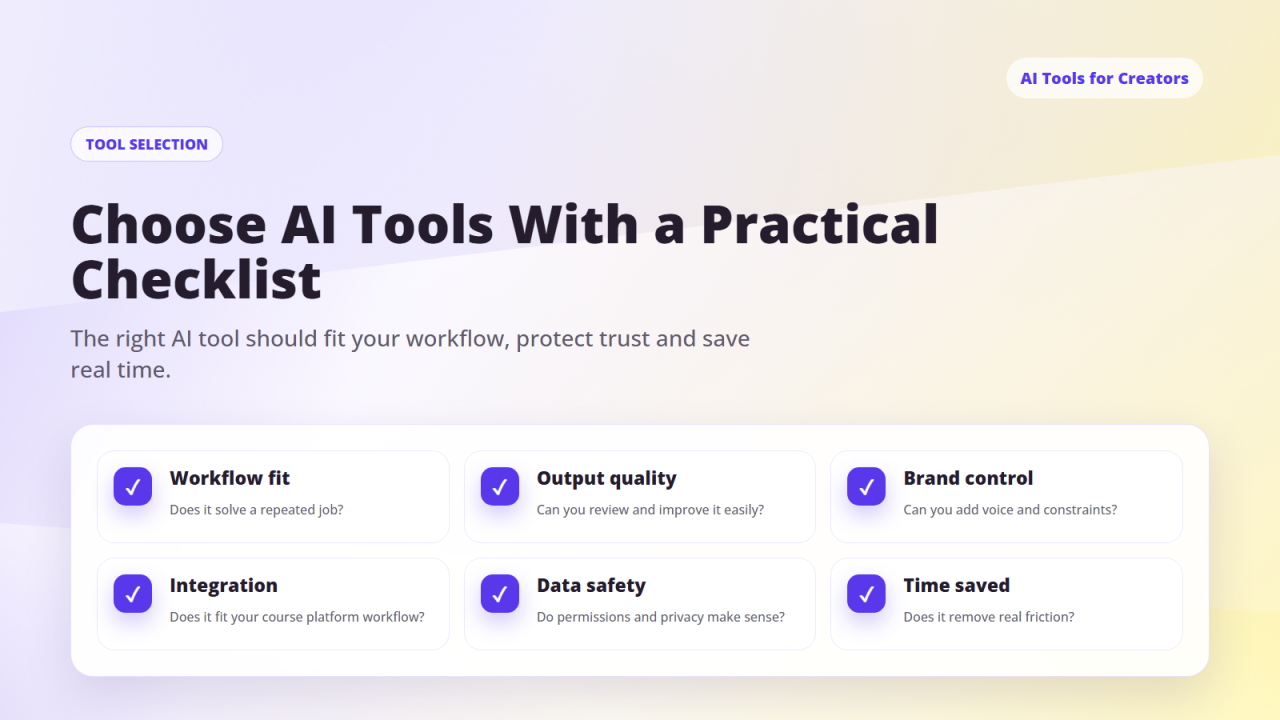
If you're overwhelmed, start with just these five:
1️⃣ ChatGPT or Claude
2️⃣ Canva Magic Studio
3️⃣ Descript or CapCut
4️⃣ OpusClip
5️⃣ Zenler
Everything else is optional.
Section 10 — Your Next Steps
✔ Choose your AI writing tool
✔ Choose your AI video tool
✔ Choose your AI design tool
✔ Build content using AI
✔ Sell using Zenler funnels + email
✔ Create digital products with AI
✔ Use Zenler to automate everything
❓FAQ's
Do I need to use all of these tools?
No — start with 2–3. ChatGPT or Claude for writing, Canva for design, and Zenler for your business foundation covers most creator needs immediately.
Is Canva Magic Studio free?
Canva has a free tier with some AI features. The Pro plan unlocks the full Magic Studio suite and is worth it for creators producing content regularly.
What's the difference between ChatGPT and Claude?
ChatGPT is great for fast idea generation, scripts, and content planning. Claude excels at long-form writing, detailed course scripts, and complex reasoning. Many creators use both.
Do I need Zapier if I use Zenler?
Not necessarily — Zenler's built-in automation handles most creator workflows including email sequences, tagging, course delivery, and funnels without needing Zapier.
Is Descript better than CapCut for video editing?
Descript is better for long-form editing (podcasts, YouTube). CapCut is faster for short-form content (TikTok, Reels). Many creators use both depending on the format.
Can all of these tools integrate with Zenler?
Yes — you use AI tools to create content, copy, and assets, then bring them into Zenler's course builder, page builder, email sequences, and funnels.
🚀 Build Your AI-Powered Creator Business With Zenler
AI creates. Zenler delivers, sells, and automates.
👉 Start with New Zenler and build your course creator tech stack around one connected platform.
🔗 Continue Your AI for Course Creators Journey:
- Start with the ultimate AI guide for creators in 2026 — covering tools, prompts, workflows, and monetisation in one place
- Learn how to use AI for social media growth across YouTube, Instagram, TikTok, and your blog with platform-specific strategies
- Put your tools to work and create digital products like prompt packs, templates, and mini-courses with AI
- Use AI to build high-converting funnels, email sequences, and sales copy as a creator
- Access a full set of AI prompts for course creators — from outlines and lessons to scripts and worksheets
- Discover how to plan, script, and produce content faster using AI without compromising on your voice
- Explore how AI actually works — and how to keep your human touch intact while using it in your creative process
FAQ
What AI tools do course creators need?
Course creators may use AI tools for outlining, writing, research, video support, image creation, email drafts, workflow planning and content repurposing.
How should I choose AI tools for my creator business?
Choose AI tools based on the workflow they improve, how much editing they still require, privacy considerations, cost and whether they fit your existing platform.
Do AI tools replace course platforms?
No. AI tools can help create and improve content, but course platforms still handle delivery, checkout, student access, community and business operations.
Categories: : AI for Course Creators
Copyright © 2026 Zenler. All rights reserved.
Terms | Privacy Policy | Cookie Policy | Support
