AI Prompts for Course Creators: Outlines, Lessons and Worksheets
 David Zenler
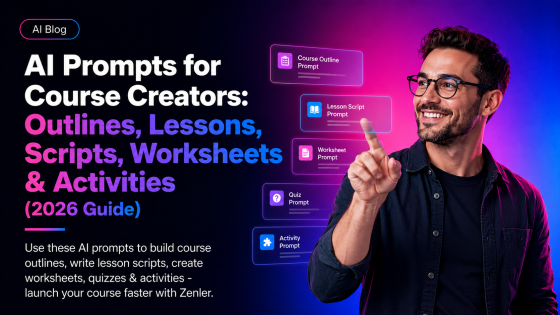
Use AI prompts for course creators to plan outlines, lessons, worksheets, activities, emails and student support materials faster.
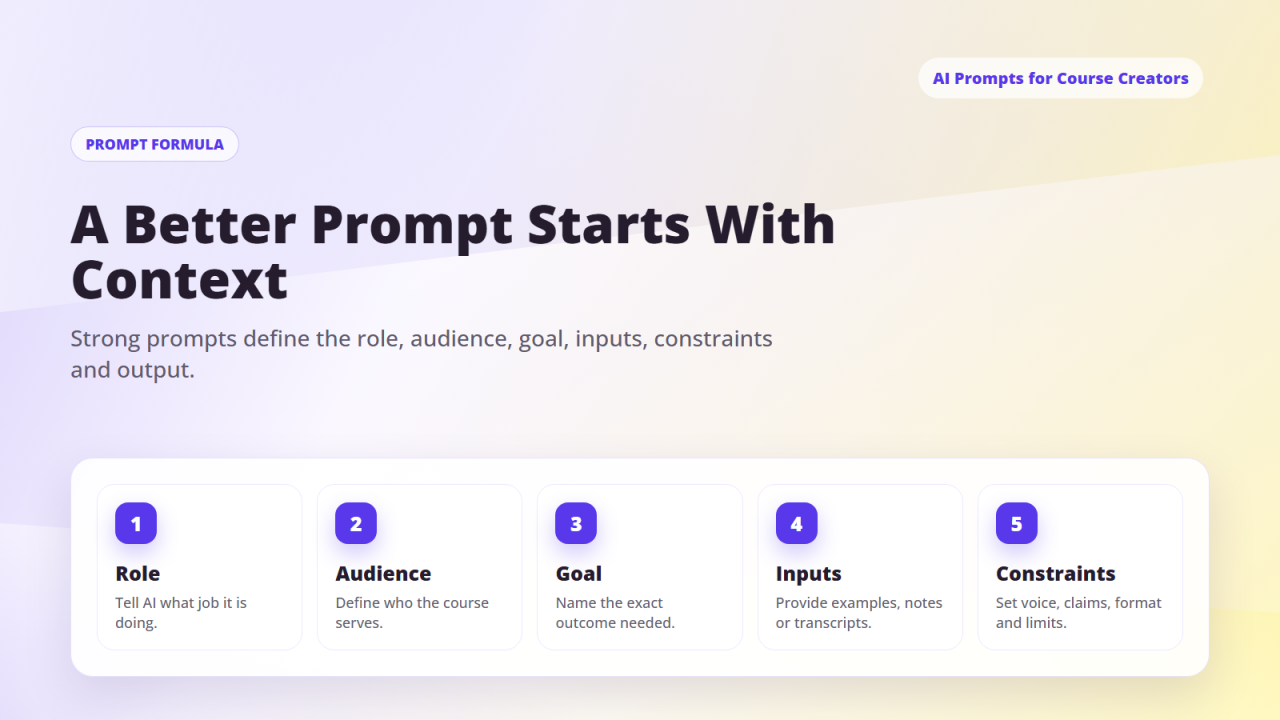
Quick answer: The best AI prompts for course creators help validate the topic, define the learner transformation, outline modules, draft lesson scripts, create worksheets, design activities, write quizzes, and prepare sales-page and email copy. Prompts work best when you include your audience, level, outcome, tone, examples, and constraints.
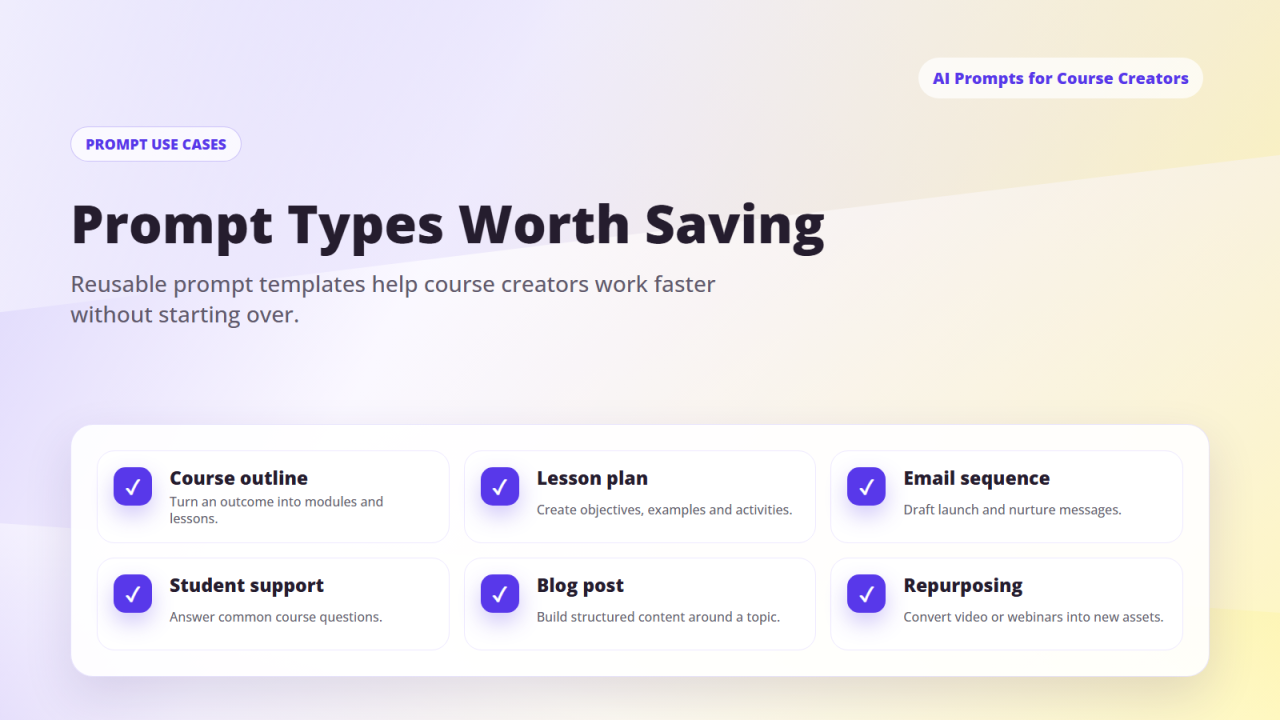
AI can help course creators move from idea to structured course plan faster when the prompts are specific and the creator reviews the final output.
Whether you're creating:
✔ A mini-course
✔ A signature 6-module program
✔ A workshop
✔ A challenge
✔ A membership training
✔ A certification
✔ A digital product course
…AI can help you outline it, script it, structure it, and produce all supporting materials.
This guide gives you:
✔ Prompts for course outlines
✔ Prompts for modules & lessons
✔ Prompts for scripts (video + written)
✔ Prompts for worksheets & downloads
✔ Prompts for activities & assessments
✔ Prompts for case studies & examples
✔ Prompts for quizzes & assignments
✔ Prompts for course sales pages
✔ Prompts for course email sequences
Section 1 — AI Prompts for Course Topic Validation
"Validate the following course idea: [Course Idea].
Tell me: who the ideal audience is, what transformation it offers, why it's needed, what makes it unique, whether it has market demand, and suggested improvements."
"List 10 profitable variations of this course topic: [Topic]."
Section 2 — AI Prompts for Course Outline Creation
"Create a complete course outline for a program called [Course Name]. Audience: [Who]. Promise: [Outcome].
Level: [Beginner/Intermediate/Advanced].
Length: [Number of modules].
Include: module titles, lesson titles, lesson objectives, key takeaways."
"Turn this simple idea into a full 6-module course with 4–6 lessons per module: [Insert Idea]."
Section 3 — AI Prompts for Module Expansion
"Expand Module [X] into full lesson breakdowns.
For each lesson include: purpose, steps, key examples, student activities, common mistakes, recommended resources."
Section 4 — AI Prompts for Lesson Scriptwriting (Video or Text)
"Write a lesson script in my brand voice for the lesson titled: [Lesson Name].
Audience: [Who].
Tone: [Casual / Expert / Motivational].
Include: hook, teaching, examples, story, action steps, recap, CTA (next lesson)."
"Create a 3–5 minute teaching script with bullet points for the topic: [Topic]."
Section 5 — AI Prompts for Worksheets & PDF Downloads
"Create a student worksheet for the lesson: [Lesson Name].
Include: reflection questions, fill-in-the-blanks, action steps, templates, checklists."
"Create a printable checklist for implementing the steps in this lesson: [Paste Lesson Script]."
Section 6 — AI Prompts for Activities, Exercises & Homework
"Create an engaging activity for students to practise the skill taught in [Lesson Name].
Include: instructions, materials needed, expected outcome, reflection questions, difficulty level."
"Generate 5 creative homework tasks for students taking a course on [Topic]."
Section 7 — AI Prompts for Case Studies & Examples
"Write a case study of a student who achieved [Outcome] using the steps taught in [Module/Lesson].
Include: the problem they started with, what they tried, what changed, their transformation, the lesson they learned."
Section 8 — AI Prompts for Quizzes, Tests & Assessments
"Create a 10-question multiple-choice quiz for the lesson [Lesson Name]. Include answer key and explanations."
"Create a scenario-based assessment for students learning [Skill]. Include 3 scenarios and ask the student to explain their approach."
Section 9 — AI Prompts for Course Sales Pages
"Write a high-converting sales page for a course called [Title].
Audience: [Who].
Transformation: [Outcome].
Price: [£X].
Include: headline, hook, story, benefits, what's included, module breakdown, bonus stack, testimonials, guarantee, FAQ, CTA."
Section 10 — AI Prompts for Email & Funnel Copy (For Course Launches)
"Write a 5-email launch sequence for my course [Title].
Audience: [Who].
Tone: [Voice].
Goal: Get them to enrol. Include: tease email, story email, value email, offer email, final reminder email."
"Write a webinar follow-up email sequence for attendees and a separate sequence for no-shows."
Section 11 — Using AI Prompts Inside Zenler (Total Integration)
Creators can:
✔ Paste scripts into Zenler lesson editor
✔ Build worksheets & attach to lessons
✔ Turn outlines into full Zenler courses
✔ Add email sequences to Zenler Automations
✔ Use sales copy for Zenler funnels
✔ Build digital products from prompts
✔ Create challenges inside Zenler Community
✔ Turn scripts into Zenler Blog articles
AI builds the content. Zenler delivers, sells, and automates it.
Section 12 — Next Steps for Readers
1️⃣ Choose your course idea
2️⃣ Use the prompts to build your outline
3️⃣ Create 3–5 lessons with AI scripts
4️⃣ Upload into Zenler
5️⃣ Build your course sales page
6️⃣ Add automation + funnel
7️⃣ Start selling
Creators can now build courses in days, not months.
❓FAQ's
Can AI write a full course outline from scratch?
Yes — give it your topic, audience, and desired outcome, and AI will produce a structured multi-module outline with lesson titles and objectives.
How do I make AI-written scripts sound like me?
Include your brand voice, tone, and a few examples of how you naturally speak in your prompt. AI will mirror your style closely.
Can I use these prompts for a mini-course or workshop?
Absolutely — the prompts work for any format, from a 3-lesson mini-course to a full certification programme.
How do worksheets and activities work inside Zenler?
You can attach PDF worksheets directly to lessons inside Zenler's course builder, so students access them alongside the video or written content.
Can AI help me write a course sales page?
Yes — use the sales page prompt in Section 9 to generate a full page including headline, benefits, module breakdown, FAQ, and CTA, then paste it into Zenler's page builder.
Do I need to edit what AI produces?
Always review and personalise AI output — add your own stories, examples, and brand voice to make it truly yours.
🚀 Build Your Course Faster With AI and Zenler
AI builds the content. Zenler delivers, sells, and automates it.
👉 Create a Zenler account and launch your course with AI support today.
🔗 Continue Your AI for Course Creators Journey:
- Put your prompts in context with the ultimate AI guide for creators in 2026 — covering tools, workflows, and monetisation alongside your prompt strategy
- Find the right tools to run your prompts in with the complete AI tech stack for creators in 2026
- Use AI prompts to fuel your social strategy and grow on YouTube, Instagram, TikTok, and your blog
- Turn your prompts into products by learning how to create digital products with AI — including your own prompt packs and toolkits
- Use the right prompts to build funnels, write emails, and craft sales copy for creator funnels as a creator
- See how prompts fit into the bigger picture by learning to plan, script, and produce content faster with AI
- Explore how AI really works — and how to use prompts without losing your human voice as a creator
Related course creation guide: how to create your first online course with Zenler.
Related AI workflow resources
Use these Zenler guides to connect AI ideas with practical course business workflows:
- How course creators can use AI agents without losing their brand voice
- AI course launch checklist for New Zenler creators
- AI agents for course creators: practical workflows and examples
FAQ
What are useful AI prompts for course creators?
Useful prompts ask AI to outline course modules, draft lesson objectives, create worksheet questions, summarise student problems or repurpose content into emails.
How do I write better AI prompts?
Include the audience, goal, context, constraints, tone, format and examples of what good output should look like.
Should I publish AI prompt output as-is?
No. Treat AI prompt output as a draft, then check accuracy, add examples, improve clarity and make sure it fits your teaching style.
Categories: : AI for Course Creators
Copyright © 2026 Zenler. All rights reserved.
Terms | Privacy Policy | Cookie Policy | Support
