Content Calendar Examples and Templates for Creators
 David Zenler
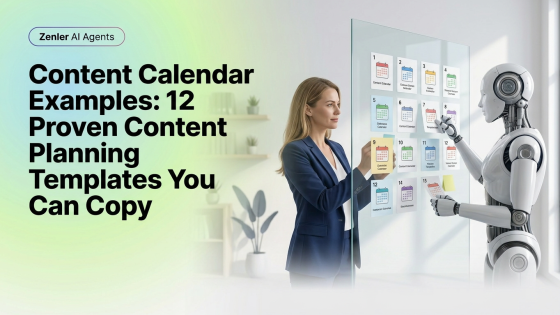
Use content calendar examples and templates for blogs, email, video, podcasts, social media, launches, evergreen content and campaigns.
One of the biggest myths in content marketing is that successful creators are naturally more creative. I don't think that's true.
Most successful creators simply have better systems. They aren't waking up every Monday wondering, "What should I post today?" They already know. Their content was planned weeks ago.
That doesn't mean it's boring. It means they've removed the hardest part — making hundreds of tiny decisions every week. A content calendar gives you that same advantage. Even better, AI can now help you build one in a fraction of the time.
Quick answer: A content calendar is a simple planning system for blogs, emails, videos, podcasts, and social media. Good examples include weekly themes, launch calendars, evergreen schedules, repurposing plans, newsletter calendars, and campaign calendars.
Why Most People Never Stay Consistent
It's rarely because they run out of ideas. It's because they run out of energy. Every week they're asking: what should I write? What should I post? What should I email? Should I record a video? Which product should I promote?
Decision fatigue is real. A content calendar removes those decisions before they become stressful.
Example 1 – The Weekly Pillar Strategy
This is the system I recommend most often. Every week create one substantial piece of content.
For example: Monday, write one in-depth blog article. Tuesday, turn it into LinkedIn posts. Wednesday, create an email newsletter. Thursday, record a short video. Friday, publish discussion questions in your community.
One idea. Five marketing assets. That's a much smarter use of your time.
Example 2 – The Monthly Theme
Choose one topic for the month. Week 1 could be a Beginner's Guide. Week 2, Common Mistakes. Week 3, Advanced Tips. Week 4, a Case Study.
Everything stays connected. Readers naturally move from one article to the next. Search engines love this approach because it creates topical authority.
Example 3 – Product Launch Calendar
Planning a course launch? Your calendar might include educational blogs, FAQs, behind-the-scenes content, student success stories, webinars, countdown emails and launch-day announcements.
Every piece of content supports the same objective. That's much more effective than random posting.
Example 4 – Evergreen Content Calendar
Not everything has to follow trends. Create articles that answer questions your audience will ask next month, next year and even five years from now.
Examples include beginner guides, FAQs, tutorials, checklists, comparisons and case studies. Evergreen content continues attracting visitors long after it's published.
Example 5 – Community First
If you have a membership or coaching community, let your members shape your calendar. Use frequently asked questions, webinar discussions, support requests and coaching calls.
Every question becomes another piece of content. Your audience literally tells you what to write.
AI Makes Planning Faster
This is where AI really shines. Instead of staring at a blank spreadsheet, ask AI to generate monthly themes, identify seasonal topics, suggest blog ideas, create publishing schedules, repurpose existing content and organise campaigns.
Planning that once took days can often be completed in an afternoon.
Build Topic Clusters
One isolated blog rarely builds authority. Connected articles do. That's why we've structured this AI Summit content into topic clusters.
Each pillar links to supporting guides. Each supporting guide links back. This makes your website easier to navigate and easier for AI Search to understand. If you're new to this strategy, start with AI Content Calendar.
Measure What Works
Your calendar should never be static. Every month ask: which blog attracted the most visitors? Which email had the highest open rate? Which social posts generated conversations? Which videos kept people watching?
Then build more content around what's already working. AI can help analyse those patterns surprisingly well.
Zenler Makes Content Planning Simpler
One thing I appreciate about Zenler is that your content doesn't live in separate systems. Your blog, email marketing, courses, funnels and communities all work together.
That makes planning much easier because every piece of content has a clear purpose.
Related Posts
Continue learning:
- AI Content Calendar
- AI Social Media Manager
- AI Blog Writing
- AI Email Marketing Tools
- How to Optimise Content for AI Search
Frequently Asked Questions
What is a content calendar?
A content calendar is a publishing schedule that helps organise blogs, emails, videos and social media content in advance.
How far ahead should I plan?
Most creators benefit from planning at least one month ahead while leaving room for timely content when appropriate.
Can AI build a content calendar?
Yes. AI can generate ideas, suggest publishing schedules and repurpose existing content into multiple marketing assets.
Should I use a spreadsheet?
You can, but many creators prefer project management tools or platforms that integrate their content, marketing and publishing workflows.
Why do content calendars improve marketing?
Because they remove decision fatigue, encourage consistency and ensure every piece of content supports your overall business goals.
What To Do Next
Don't wait until Monday morning to decide what you're creating. Spend one afternoon building a simple content calendar.
Use AI to fill in the gaps. Then focus your energy on creating genuinely useful content instead of constantly deciding what comes next.
Related AI calendar guide: AI content calendar for creators.
Related marketing and funnel resources
Build a stronger creator marketing system with these connected Zenler resources:
- Complete course funnel guide for New Zenler
- Lead magnet ideas for course creators
- Online course SEO topic clusters
Categories: : Creator Strategy
Copyright © 2026 Zenler. All rights reserved.
Terms | Privacy Policy | Cookie Policy | Support
